You don't need to overspend to get a capable laptop, and that includes Windows models and Apple MacBooks. It's possible to find a decent laptop for less than $1,000, even with RAM prices on the rise. With years of experience, I've reviewed enough budget laptops to know a good one when I see one. A good budget laptop is one that avoids the common budget laptop pitfalls of using outdated tech that leads to weak performance and a design that is cheap, clunky, boring or all three. A good budget laptop serves up modern components inside a sleek chassis that's well put together. Keep reading to see my current favorites.
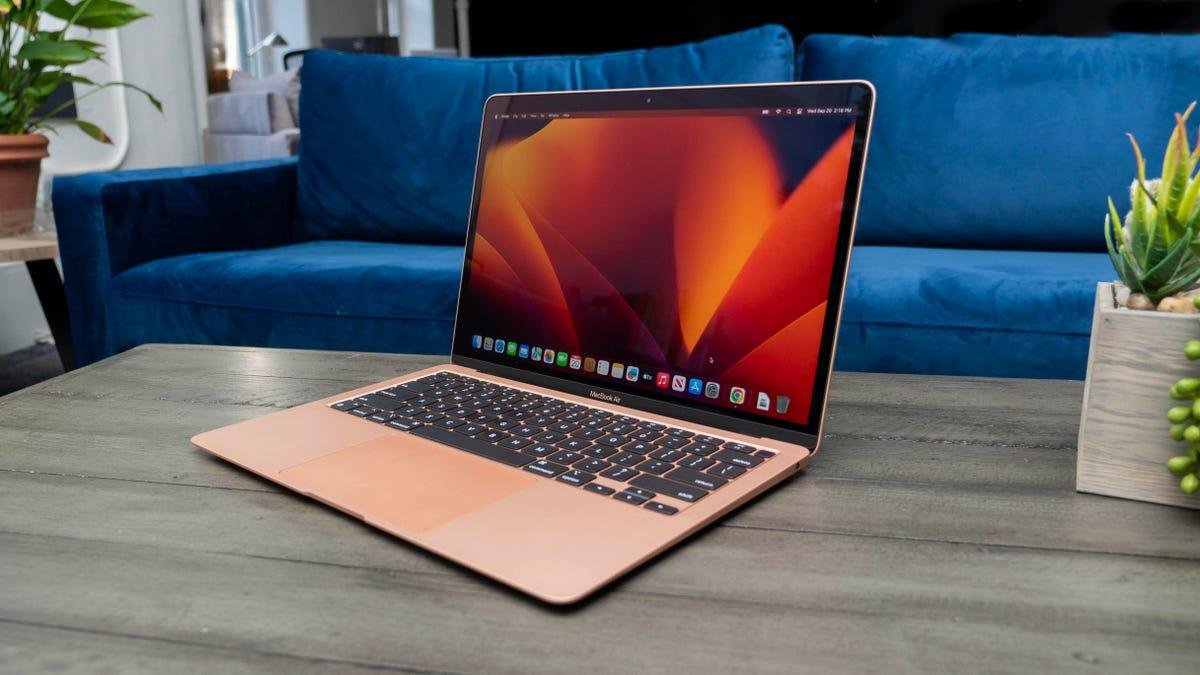
For Apple’s latest MacBook Air, the bigger news than moving from Apple's M3 silicon to M4 chips is the drop in price.
Pros
- Big performance gains from M1, Intel MacBook Airs
- Great design, features
- Support for two external displays simultaneously with MacBook display
- 12-megapixel Center Stage camera
Cons
- 256GB SSD might fill up fast
- Expensive upgrades
The Surface Laptop 7 model we reviewed is a higher-end model that sells for roughly $1,500 at Amazon, but you can get the entry-level model for less than $1,000.
Pros
- Beautiful, durable design
- Class-leading battery life
- Strong performance
- Awesome and accurate haptic touchpad
Cons
- No OLED option
- Upgrades get costly and don't include dedicated GPU
- Your Arm-on-Windows compatibility mileage may vary
Only a few weeks after ceding the battery life throne to Lenovo in our tests, HP has snatched back the crown with the OmniBook 5 14.
Pros
- Unbelievable battery life
- Sturdy, stylish and compact design
- OLED display delivers deep blacks, vivid colors
- Generous RAM and SSD for the price
Cons
- OLED display isn't the brightest
- Slow USB-C ports
The 15-inch MacBook Air is proof that you don't need a Pro to get a larger display. It supplies a larger screen that you once found only on the pricier Pro models. If you're eyeing the 14- or 16-inch Pro models primarily for the added screen size, the MacBook Air 15 is the more affordable option you should go for, especially at its new lower starting price.
Pros
- Optimal balance of screen size and system weight
- M4 processor provides good balance of performance and battery life
- Lower $1,199 starting price
Cons
- 256GB SSD is too small for the price
- $200 upcharge for more RAM or storage is steep
- Smooth ProMotion display still exclusive to MacBook Pro
Weighing less than 3.5 pounds and offering amazing battery life, the Acer Aspire 16 AI is a 16-inch laptop that's easy to take with you.
Pros
- Optimal balance of screen size and laptop weight
- Incredible battery life
- Comfortable keyboard and roomy touchpad
- Crisp 1440p webcam
- Excellent external expansion options
Cons
- Design can't be described as "exciting"
- So-so speakers
LAPTOP DEALS OF THE WEEK
Deals are selected by the CNET Group commerce team, and may be unrelated to this article.
What's the best cheap laptop overall?
Our favorite budget laptop is Apple's 13-inch MacBook Air. We reviewed last year's M4 version, and Apple just released new M5 models that, despite a higher starting price, look like better deals than the previous M4 Air because they now come with a minimum of 512GB of storage. And now is a good time to look for good MacBook deals on the outgoing M4 models.
For an ultraportable Windows machine that rivals the MacBook Air in design and battery life, check out the Microsoft Surface Laptop 7. Built with an Arm-based Qualcomm Snapdragon X CPU, it was the first Copilot Plus PC I reviewed. And I came away impressed, particularly with the battery life. Windows laptops have trailed MacBooks in battery life ever since Apple released its Arm-based M1 processor nearly four years ago. The Surface Laptop 7 didn't just close the gap in battery life between a Windows laptop and a MacBook but surpassed it.
The Acer Aspire 14 AI is a true budget laptop and features the latest AI chip from Intel and is the cheapest Copilot Plus PC we've reviewed. You can usually find it for $500 at Amazon. And I like its larger sibling even more. The Acer Aspire 16 AI costs just $550 at Amazon and provides a roomy display while also be very portable at less than 3.5 pounds. Both Aspire models also offer all-day battery life.
Using my decades of experience testing and reviewing laptops, I've compiled a roundup of the best budget laptops below. For more, check out my recommendations for best Asus laptop, best Dell laptop, best HP laptop and best Lenovo laptop. Gamers on tight budgets should peep my list of best cheap gaming laptops, and Apple fans can also find a few budget options among my picks for best MacBook. Last, budget laptop shoppers should consider a Chromebook -- especially if much of what you do is on the web -- and check out my list of best Chromebooks.
Best cheap laptops of 2026
Pros
- Big performance gains from M1, Intel MacBook Airs
- Great design, features
- Support for two external displays simultaneously with MacBook display
- 12-megapixel Center Stage camera
Cons
- 256GB SSD might fill up fast
- Expensive upgrades
For Apple’s latest MacBook Air, the bigger news than moving from Apple's M3 silicon to M4 chips is the drop in price.
Why we like it
Starting at $999, the MacBook M4 Air is $100 cheaper than the entry point for the previous M3 models. In addition to a slight bump in performance over the previous generation, the M4 Air adds a Center Stage webcam, better support for external displays and a new ice blue color option.
Who it's best for
The M4 chip refresh adds up to a good, if minor, update to an already fantastic lightweight laptop that’s now more affordable for students and those on tight budgets. With its mix of strong overall performance, long battery life and a trim design, it’s no wonder it’s such a popular laptop for students.
Who shouldn't get it
Anyone who is buying a MacBook Air for toting around the house instead of across campus will enjoy the roomier display of the 15-inch Air. Also, graphics pros who need the power of a Pro will need to spend more for a 14- or 16-inch MacBook Pro.
Pros
- Beautiful, durable design
- Class-leading battery life
- Strong performance
- Awesome and accurate haptic touchpad
Cons
- No OLED option
- Upgrades get costly and don't include dedicated GPU
- Your Arm-on-Windows compatibility mileage may vary
The Surface Laptop 7 model we reviewed is a higher-end model that sells for roughly $1,500 at Amazon, but you can get the entry-level model for less than $1,000.
Why we like it
We like it for its polished design and class-leading battery life. Our test model ran for nearly 20 hours on a single charge, and you can expect a similar runtime from the entry-level unit. The Surface Laptop 7 reverses earlier Arm-on-Windows efforts that were plagued by lackluster performance and limited compatibility, with many x86 apps unable to run on an Arm-based system. This time around, performance has improved, and so has compatibility.
Who it's best for
People who love the look and long runtime of the MacBook Air but want a Windows laptop. And if you scale back the specs, you can get it for roughly the same price as the M4 Air. For $1,000, the Surface Laptop 7 features a Snapdragon X Plus CPU, 16GB of RAM and a 256GB SSD. The storage capacity might be a bit tight, but it should offer sufficient performance for most people. Along with the freedom to leave the charger at home for days at a time.
Who shouldn't get it
Anyone worried about potential Windows-on-Arm compatibility issues should skip Qualcomm-based laptops and pick out an Intel or AMD model. The Surface Laptop 7 is also not the pick if you want an OLED display on your next laptop.
Pros
- Unbelievable battery life
- Sturdy, stylish and compact design
- OLED display delivers deep blacks, vivid colors
- Generous RAM and SSD for the price
Cons
- OLED display isn't the brightest
- Slow USB-C ports
Only a few weeks after ceding the battery life throne to Lenovo in our tests, HP has snatched back the crown with the OmniBook 5 14.
Why we like it
For starters, it runs and runs (and runs and runs). It’s the current battery life champ, lasting more than 28 hours in testing. In addition to record-setting battery life, the OmniBook 5 14 offers a simple, elegant design and easy-to-carry weight -- plus, an OLED display that delivers stellar contrast and vivid colors. It also supplies an ample 32GB of RAM and a roomy 1TB SSD, neither of which is a given in a laptop that costs less than $1,000.
Who it’s best for
For students and others constantly on the go, the OmniBook 5 14 is a fantastic pick at a great price.
Who shouldn’t buy it
If you are concerned about Windows-on-Arm compatibility issues, then you should skip the Snapdragon X-based OmniBook 5 14 and go for an Intel- or AMD-based laptop.
Pros
- Optimal balance of screen size and system weight
- M4 processor provides good balance of performance and battery life
- Lower $1,199 starting price
Cons
- 256GB SSD is too small for the price
- $200 upcharge for more RAM or storage is steep
- Smooth ProMotion display still exclusive to MacBook Pro
The 15-inch MacBook Air is proof that you don't need a Pro to get a larger display. It supplies a larger screen that you once found only on the pricier Pro models. If you're eyeing the 14- or 16-inch Pro models primarily for the added screen size, the MacBook Air 15 is the more affordable option you should go for, especially at its new lower starting price.
Why we like it
The roomy, 15.3-inch display is powered by Apple's M4 chip and 16GB of unified RAM. The M4 update adds incremental improvements -- and a new sky blue color -- to an already fantastic laptop that sits in the Goldilocks Zone of Apple's MacBook lineup.
Who it's best for
People looking for a big-screen MacBook who don't need the power of a MacBook Pro. With its roomy display, trim design and new lower starting price, the 15-inch M4 MacBook Air should be viewed as the default Air, with its cheaper and smaller 13-inch sibling a good alternative for students and others with tighter budgets and busy, on-the-go lifestyles.
Who shouldn't get it
Students who need a more affordable and portable laptop will be better off with the 13-inch Air. Creative types who need more graphics oomph will need to spend more for the added power of a MacBook Pro.
Pros
- Optimal balance of screen size and laptop weight
- Incredible battery life
- Comfortable keyboard and roomy touchpad
- Crisp 1440p webcam
- Excellent external expansion options
Cons
- Design can't be described as "exciting"
- So-so speakers
Weighing less than 3.5 pounds and offering amazing battery life, the Acer Aspire 16 AI is a 16-inch laptop that's easy to take with you.
Why we like it
The Aspire 16 AI offers an optimal balance of screen size and system weight, making it a unique laptop: the rare 16-inch ultraportable. Plus, its battery life is fantastic, which lets you lighten your load further by leaving the power cord at home. If you are looking for an affordable and portable productivity machine, the Aspire 16 AI checks a lot of boxes.
Who it’s best for
Budget laptop shoppers who are unwilling to choose between screen size and a light weight. The 16-inch Aspire 16 AI doesn’t weigh much more than the average 14-inch laptop, giving you extra screen real estate without sacrificing much in portability.
Who shouldn’t buy it
Students and others constantly on the go will be better served with a smaller, 14-inch laptop that’s more compact and even lighter than the Aspire 16 AI.
Pros
- 2.5K OLED display is crisp, bright and fast
- Snappy keyboard feels fast for games
- Thin and light for its size
- Free M.2 slot to add second SSD
Cons
- Short battery life
- No biometrics for easy, secure logins
- Lacks fast Thunderbolt 4 or USB4 ports
- Always-on power button LED is annoying
The Lenovo Legion 5i Gen 10 is overkill for most budget gaming laptop shoppers, both in terms of price and features. But if you view it as two laptops in one -- a competent gaming laptop with a reasonably large 15.1-inch display and a general-use laptop that's thin and light enough to carry around more than occasionally -- then its price begins to look like a great value.
Why we like it
It provides great performance for the price, and the 2.5K OLED display is outstanding. The Legion 5i Gen 10's OLED wins the Triple Crown for displays: a high resolution for crisp text and images, a speedy refresh rate for smooth movement and a high peak brightness that allows colors to pop. It's one of the best laptop displays I've ever seen.
Who it’s best for
It's a great pick for gamers, but it's more than just a gaming laptop. Creators engaged in color-accurate work will love the bright, high-res OLED display and the laptop's portability relative to other gaming laptops.
Who shouldn’t buy it
If you need a portable laptop with good battery life, then most gaming laptops, including this one, are the wrong choice.
Pros
- Exceedingly long battery life
- Competitive performance for the price
- Useful port selection
Cons
- Dull display
- Dull design
This recent release from Acer's budget Aspire line is based on an Intel Lunar Lake CPU. Its Intel Core Ultra 5 226V features a neural processing unit (NPU) capable of 40 trillion operations per second (TOPS) for local AI processing, which happens to be the minimum requirement for Microsoft's Copilot Plus PC platform. The Aspire 14 AI is on sale for $619 at Amazon and only $500 at Costco, making it easily the cheapest Copilot Plus PC I've reviewed.
Why we like it
The Aspire 14 AI a great pick among budget laptops. Its performance and battery life exceed what you can expect for the price and the design is nearly the same as you get with Acer's more expensive Swift models. You're forced to sacrifice display quality to hit such a low price but that's an item that's usually not very high on a budget shopper's priority list. More important is getting a modern CPU that delivers sufficient performance for everyday use that's also efficient to allow for lengthy battery life -- plus a bit of future-proofing with its AI capabilities.
Who it's best for
With the lengthy battery life we've come to expect from Copilot Plus PCs and with application and AI performance that's competitive with pricier models, the Aspire 14 AI offers great value for budget shoppers looking for a Copilot Plus PC.
Who shouldn't get it
If you care about the overall look of your next laptop and have the money, you can find more exciting designs. Spending more will also get you a brighter display with better color performance.
Pros
- Strong build quality
- Great performance for the price
- Long battery life
- Comfortable, quiet keyboard
- Good port selection
Cons
- A little on the heavy side
- Clacky touchpad
- Uninspired audio output
With its excellent build quality, adequate display, strong performance and lengthy runtime, the Yoga 7 14 Gen 9 provides a ton of value and is a great fit as a versatile machine for home use or students.
Why we like it
It's a great deal at its price of $900 at Best Buy and an even better deal at its regularly discounted price of $800 direct from Lenovo. We like its solid, all-metal chassis and the power and efficiency you get from its AMD Ryzen 7 8000-series CPU.
Who it's best for
Anyone looking for a flexible two-in-one for a great price, including students who might like to take notes in tablet mode. It lacks some of the refinement and extras you get with Lenovo’s flagship Yoga 9i 14, but the midrange Yoga 7 14 is much more affordable. We think it's the better option for most people.
Who shouldn't get it
Laptop buyers who want a lighter two-in-one with a better OLED display and better speakers -- and are willing to spend more to get those extras -- should instead consider the Yoga 9i 14.
Pros
- Same great Surface Pro design at a smaller price, size
- Good size for tablet mode and light laptop use
- IPS display is sharp and bright
- Good overall performance for the price and exceptional battery life
Cons
- Necessary accessories add to the bill
- Seriously, the charger is an extra $70?
- 12-inch display can feel cramped in laptop mode
- External connectivity limited to a pair of USB-C 3.2 ports
The smaller 12-inch version of Microsoft's detachable two-in-one laptop sacrifices some items to hit a lower price but maintains many of the positives of its larger 13-inch sibling.
Why we like it
With a better build quality than most laptops at its price, the 12-inch Surface Pro offers great value and versatility with its sleek aluminum chassis and detachable design.
Who it’s best for
Anyone who wants a secondary device to have around for browsing the web, watching shows and playing casual tablet games on a screen that's larger than your phone's.
Who shouldn’t buy it
People who want a detachable two-in-one as their primary, everyday laptop should consider the larger, more powerful 13-inch Surface Pro.
Pros
- Includes OLED display for a great price
- Excellent haptic touchpad
- Great battery life
Cons
- So-so performance
- Keyboard isn't up to ThinkPad standard
- Heavier than it looks
- Aura Edition stuff is more marketing fluff than anything actually useful
ThinkPad traditionalists who may revolt at the thought of a ThinkPad that’s missing the little red nub in the middle of the keyboard will need to pass on the ThinkPad X9. But if you can do without the pointing stick, this 14-inch biz laptop offers a well-rounded package at a budget-friendly price.
Why we like it
I like being able to spend a little more than $1,000 and get a high-resolution OLED display powered by a modern Intel CPU inside a thin and sturdy chassis that also features a responsive and customizable haptic touchpad.
Who it’s best for
Small offices and individual buyers who can’t afford Lenovo’s flagship ThinkPad X1 Carbon will find lots to like about the lower-cost ThinkPad X9.
Who shouldn’t get it
Longtime ThinkPad users who can’t do without a pointing stick will need to keep shopping.
Best budget laptops compared
See how our favorite cheap laptops stack up.
| Starting price | Display size/resolution | Weight | CPU tested | GPU tested | |
|---|---|---|---|---|---|
| Apple MacBook Air (M4, 2025) | $999 | 13.6-inch, 2,560x1,664 | 2.7 pounds | Apple M4 10‑core CPU | Apple M4 10‑core GPU |
| Microsoft Surface Laptop 7 | $1,000 | 13.8-inch, 2,304x1,536 | 2.96 pounds | Qualcomm Snapdragon X Elite X1E-80-100 | Qualcomm Adreno |
| HP OmniBook 5 14 | $510 | 14-inch, 1,920x1,200 OLED | 2.85 pounds | Qualcomm Snapdragon X Plus X1P-42-100 | Qualcomm Adreno |
| Apple MacBook Air 15 (M4, 2025) | $1,199 | 15.3-inch, 2,880x1,864 | 3.3 pounds | Apple M4 10‑core CPU | Apple M4 10‑core GPU |
| Acer Aspire 16 AI | $700 | 16-inch, 1,920x1,200 | 3.45 pounds | Qualcomm Snapdragon X X1-26-100 | Qualcomm Adreno |
| Lenovo Legion 5i Gen 10 | $1,569 | 15.1-inch 2,560x1,600 OLED | 4.3 pounds | Intel Core i7-14700HX | Nvidia GeForce RTX 5060 |
| Acer Aspire 14 AI | $750 | 14-inch, 1,920x1,200 | 3.05 pounds | Intel Core Ultra 5 226V | Intel Arc 130V |
| Lenovo Yoga 7 14 Gen 9 | $900 | 14-inch, 1,920x1,200 | 3.6 pounds | AMD Ryzen 7 8840HS | AMD Radeon 780M |
| Microsoft Surface Pro (12-inch) | $600 | 12-inch, 2,196x1,464 | 2.23 pounds | Qualcomm Snapdragon X Plus X1P-42-100 | Qualcomm Adreno |
| Lenovo ThinkPad X9 14 Aura Edition | $1,231 | 14-inch, 2,880x1,800 | 2.84 pounds | Intel Core Ultra 5 226V | Intel Arc 130V |
Dell XPS 14: It's great to see Dell bring back the XPS and do so with such style.
GeekBook X14 Pro: Geekom’s first laptop is impressively thin and light but battery life disappoints. And I detest the touch pad.
Lenovo IdeaPad 5i 16 2-in-1 Gen 10: Lenovo's low-cost, 16-inch two-in-one is a versatile machine, but it forces you to live with more than a couple of compromises in the design.
Lenovo Yoga Pro 9i Pro 16 Aura Edition: Centered around a gorgeous 16-inch OLED display, this kick-ass Yoga laptop provides the performance and build that graphics pros demand.
Microsoft Surface Pro (12-inch): The 12-inch version of Microsoft's detachable two-in-one will suffice for most users, but getting nickel-and-dimed by optional accessories that feel quite necessary is annoying.
Dell 14 Premium: Dell’s creator laptop is rock solid to a fault.
Acer Aspire 16 AI: Weighing less than 3.5 pounds and offering amazing battery life, this is the rare 16-inch laptop that's easy to take with you.
Lenovo Yoga 9i 2-in-1 Aura Edition: This premium two-in-one is a near-perfect package with a fantastic OLED display and record-setting battery life.
Lenovo LOQ 15: This budget gaming laptop has an outdated design but serves up modern components and good 3D performance for the price.
Lenovo ThinkPad X1 2-in-1: This business convertible boasts great build quality and battery life but the display disappoints.
HP Omen 16: This Nvidia GeForce RTX 5060 rig offers good looks and competitive 1080p performance along with surprisingly long battery life and a cool twist on four-zone RGB keyboard backlighting
Alienware Aurora 16: I tested two Alienware Aurora gaming laptops, and this is not the one to get.
Alienware Aurora 16X: This is the Aurora to get.
Acer Nitro V 16S AI: This budget gaming laptop serves up a big screen and big value.
MSI Katana 15 HX: I liked its 1080p performance but little else.
HP OmniBook X Flip 14: This two-in-one laptop offers style, value and configuration options abound, including a 3K OLED display for only an extra $100.
Microsoft Surface Laptop (13-inch): It’s compact, solidly built and great for travel, but the 13.8-inch version is the better choice as your daily driver.
Dell 14 Plus: Skip the two-in-one and opt for the clamshell laptop I tested -- when it goes on sale.
The review process for laptops consists of two parts: performance testing under controlled conditions in the CNET Labs and extensive hands-on use by our reviewers. This includes evaluating a device's aesthetics, ergonomics and features with respect to price. A final review verdict is a combination of objective and subjective judgments.
We test all laptops with a core set of benchmarks, including Primate Labs Geekbench 5 and 6, Cinebench, PCMark 10, a variety of 3DMark benchmarks (whichever can run on the laptop), UL Procyon Photo and Video (where supported), and our own battery life test. If a laptop is intended for gaming, we'll also run benchmarks from Guardians of the Galaxy, The Rift Breaker (CPU and GPU) and Shadow of the Tomb Raider.
Here I am running a throughput test at close distance from the router.
Adam Breeden/CNETBudget laptops tend to have components that don't lend themselves to more advanced content creation -- such as a discrete GPU with sufficient memory -- so we don't typically run graphics-intensive performance tests on this class of laptops.
For the hands-on, the reviewer uses it for their work during the review period, evaluating how well the design, features (such as the screen, camera and speakers) and manufacturer-supplied software operate as a cohesive whole. With budget laptops, especially, we concentrate on how well they work given their cost and where the manufacturer has made tradeoffs to reach the price.
The list of benchmarking software and comparison criteria we use changes over time as the devices we test evolves.
You can find a more detailed description of our test methodology on our How We Test Computers page.
There are a ton of models for less than $1,000 on the market at any given moment, and a large fraction of those are less than $500. As long as you manage your expectations regarding options and specs, you can still get quite a bit from a budget laptop model, including good battery life and a reasonably lightweight laptop body. (If you're replacing an old Windows laptop that's not up to running Windows anymore, consider turning it into a Chromebook.)
Price
If the statistics Intel and PC manufacturers hurl at us are correct, you'll be holding onto this laptop for at least three years so don't skimp if you can afford to stretch your budget a little to better specs.
Even better, think about a laptop with a replaceable battery (if you can find one), upgradable memory (although memory is usually soldered to the motherboard), graphics card and storage, or all of the above. If you do, trawl the user reviews and comments for people's experiences with upgrading a particular model. Sometimes they require proprietary parts or require accessing hard-to-access locations in the system.
For a cheap gaming laptop, you'll still have to break the $500 ceiling to support most games. The least expensive budget laptops suitable for a solid gaming performance experience -- those with moderately powerful discrete graphics processors -- will run you closer to $700. Here are our recommendations if you're looking for the best gaming laptop under $1,000. If you like to live on the bleeding edge, cloud gaming services such as Nvidia GeForce Now and Microsoft Xbox Game Pass Ultimate's Cloud Gaming will let you play games on laptops with specs that hit the under-$500 mark.
A bright spot is you don't have to settle for a traditional clamshell laptop with a fixed display and keyboard. You can also get a convertible laptop (aka, a two-in-one), which has a screen that flips around to turn the screen into a tablet, to position it for comfortable streaming or to do a presentation.
You can also try to make your current laptop last a little longer. If you need something to tide you over for a few months, dig into possible places to buy refurbished machines and explore nonprofit or educational discounts if you're eligible.
Windows, Mac or Chromebook
You won't find cheap laptop prices for a MacBook or any other Apple laptop. At best you can get the current entry-level model of the MacBook Air for $999. On sale, you may be able to get it for less than that but it will never reach truly "budget" territory. Even an iPad will run you more than $500 once you buy the optional keyboard (although it might work out to less if you look for sales on the tablet or keyboard), which is above our budget here. A base-model iPad with an inexpensive Bluetooth keyboard and a cheap stand for the iPad might suffice.
It's easier to find inexpensive Chromebooks than cheap Windows laptops, making them one of the most popular budget laptops on the market, although we're also seeing a lot more Chromebooks in the $500-to-$1,000 range and more Windows laptops in the $500 range. Those Windows systems are frequently repurposed Chromebook configurations that really aren't up to running Windows comfortably.
Google's ChromeOS isn't nearly as power-hungry as Windows, so you can get by with a lower-end processor, slower storage and less screen resolution or RAM; just a few of the components that make a laptop expensive. The flip side is Chrome and Google apps are more of a memory hog than you'd expect, and if you go too low with the processor or skimp on memory, the system will still feel slow.
While Chromebooks can run ChromeOS-specific and Android apps, some people need the full Windows OS to run heftier applications, such as video-editing suites. With that comes a need for a faster processor with more cores, more memory -- 8GB RAM is the bare minimum, although 16GB is preferable -- and more storage for applications and the operating system itself.
ChromeOS is also a much different experience than Windows; make sure the applications you need have a Chrome app, Android app or Linux app before making the leap. Since Chromebooks are cloud-first devices, you don't need a lot of storage built-in.
That also means if you spend most of your time roaming the web, writing, streaming video or playing Android games, they're a good fit. If you hope to play Android games, make sure you get a touchscreen Chromebook.
Size
Remember to consider whether having a lighter, thinner laptop or a touchscreen laptop with a good battery life will be important to you in the future. Size is primarily determined by the screen, which in turn factors into battery size, laptop thickness and weight.
Ultraportable laptops, generally 13 inches or smaller, are a rarity below $700. It turns out, making things smaller doesn't always equate to cheaper. Generally, you'll find budget laptops at 14-, 15.6- and 17.3-inch sizes. Also, because of their low prices, 11.6-inch Chromebooks are attractive. We don't recommend that size for any but the youngest students.
In the budget price range, you have to watch out for screen terminology when it comes to specs: An "HD" screen may not always be a truly high-definition screen. HD, which has a resolution of 1,920x1,080 pixels, is called "Full HD" so marketers can refer to lesser-resolution displays (1,280x720 pixels) as HD. In Chromebooks, HD usually refers to a screen with a resolution of 1,366x768 pixels. On the upside, the boom in 14-inch laptops trickles down to this price range, which allows for more FHD options in that size.
A frequent complaint we see is about "washed-out" looking displays with poor viewing angles. Unfortunately, that's one of the trade-offs: A lot of these use TN (twisted nematic) screen technology, which is cheap but meh. Look for IPS (in-plane switching) LCDs which are better for off-angle viewing, brightness and color.
Processor, memory and storage
A lot of Windows laptops in this range use AMD Athlon and lower-end A series or Intel Celeron and Pentium processors to hit the lower prices. We don't recommend going with an Athlon instead of a Ryzen or a Celeron/Pentium instead of a Core: Windows is too heavy for them, and in conjunction with the 4GB memory a lot of them have, you may find them abysmally slow at best.
SSDs can make a big difference in how fast Windows performance feels compared with a spinning hard disk, although thankfully old hard disks have become a lot rarer. Not all SSDs are equally speedy and cheaper laptops typically have slower drives. If you need to go with a smaller drive -- they tend to max out at 256GB in this price range -- you can always add an external drive or two (or five, for some of us) at some point down the road or use cloud storage to bolster a small internal driv