Two laptops recently joined the ranks among my Windows favorites in the Dell XPS 14 and MSI Prestige 14 Flip AI Plus. Each features an Intel Panther Lake processor and offers a compelling mix of performance and battery life. Neither could top the HP OmniBook 5 14 and its Qualcomm Snapdragon X series chip, however, as the laptop with the best battery life we’ve tested. Two other Snapdragon X-based laptops are similarly long-running and highly rated. I love the Microsoft Surface Laptop 7 for its slick, sturdy design and awesome haptic touchpad and the Asus Zenbook A14 for its ultralight yet rigid enclosure and fantastic OLED display. Keep reading to see the best Windows laptops that CNET has tested.
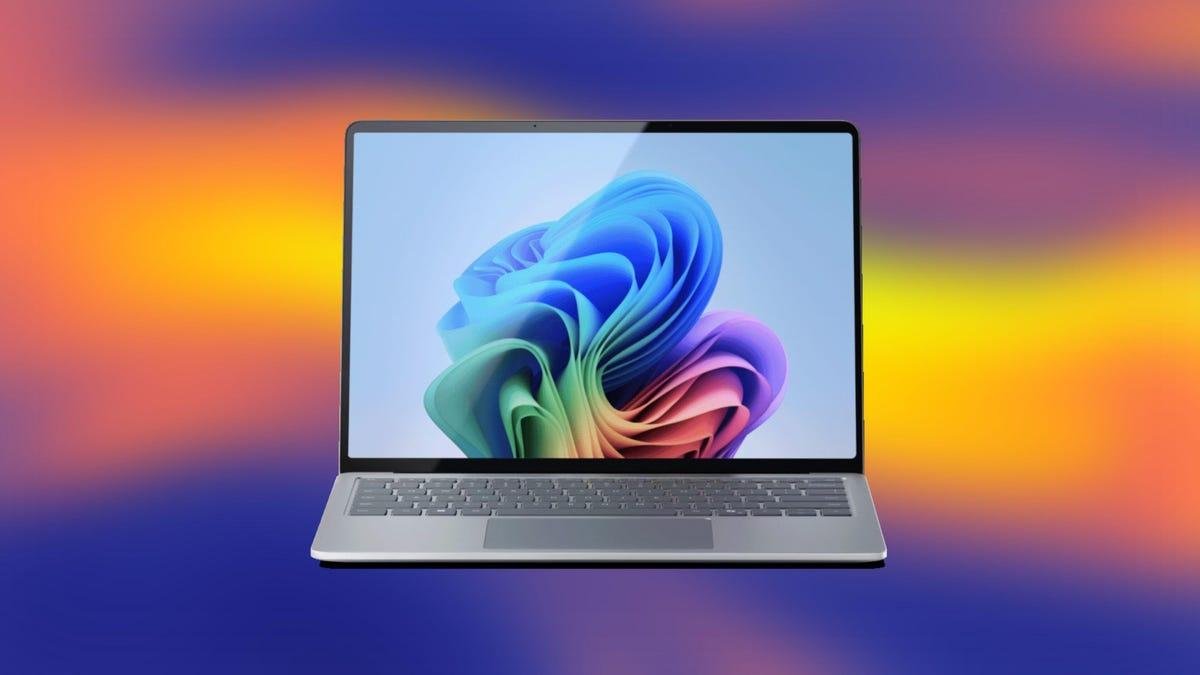
The Surface Laptop 7 reverses earlier Arm-based efforts that were plagued by lackluster performance and limited compatibility. Many x86 apps were unable to run on an Arm-based system. This time around, performance has improved and so has compatibility.
Pros
- Beautiful, durable design
- Class-leading battery life
- Strong performance
- Awesome and accurate haptic touchpad
Cons
- No OLED option
- Upgrades get costly and don't include dedicated GPU
- Your Arm-on-Windows compatibility mileage may vary
Only a few weeks after ceding the battery life throne to Lenovo in our tests, HP has snatched back the crown with the OmniBook 5 14.
Pros
- Unbelievable battery life
- Sturdy, stylish and compact design
- OLED display delivers deep blacks, vivid colors
- Generous RAM and SSD for the price
Cons
- OLED display isn't the brightest
- Slow USB-C ports
The Prestige 14 Flip AI has a Core Ultra Series 3 processor from Intel’s new Panther Lake series and offers an unprecedented combination of 3D graphics power and all-day battery life.
Pros
- Playable framerates from integrated Intel Arc B390 graphics
- Around-the-clock battery life
- Thin, light and quiet
- MSI's new Prestige design is huge improvement
Cons
- Display is only 60Hz
- Bottom panel gets hot during games
- Diving-board effect with mechanical touchpad
After killing it off last year, Dell turned right around and brought back the XPS this year. The XPS 14 marks a grand return for Dell’s longtime premium laptop brand.
Pros
- Sleek, solid design at a reasonable weight
- Strong performance with long battery life
- Quiet and cool operation
- Physical keys have returned to the Function row
- Huge, haptic touchpad
- Quad speakers produce great sound
Cons
- Matches MacBook Pro in price but not performance
- Seams along the edges and below the keyboard are magnets for debris
- Limited port selection with no adapter included
- No fingerprint reader
This recent release from Acer's budget Aspire line is based on an Intel Lunar Lake CPU. Its Intel Core Ultra 5 226V features a neural processing unit (NPU) capable of 40 trillion operations per second for local AI processing, which happens to be the minimum requirement for Microsoft's Copilot Plus PC platform. The Aspire 14 AI is on sale for $619 at Amazon and only $500 at Costco, making it easily the cheapest Copilot Plus PC I've reviewed.
Pros
- Exceedingly long battery life
- Competitive performance for the price
- Useful port selection
Cons
- Dull display
- Dull design
LAPTOP DEALS OF THE WEEK
Deals are selected by the CNET Group commerce team, and may be unrelated to this article.
The best Windows laptops come in all shapes and sizes
If you aren't ready to take the plunge with a Snapdragon X series processor and worry about potential Windows-on-Arm compatibility issues, then I have Intel- and AMD-based favorites, from budget models and two-in-one convertibles to high-powered laptops for gamers and creators.
With decades of experience testing and reviewing laptops, my colleagues and I conduct performance testing under controlled conditions in the CNET labs and perform extensive hands-on tests to assess the design, features and performance of each laptop we review.
You'll find a good number of recommendations here but I also have more specific picks in different categories, starting with the best overall laptop, the best gaming laptop, best cheap gaming laptop, best laptop for college students and best two-in-one laptop. If you narrowed it to a specific brand, check out our picks for the best Asus laptop, best Dell laptop, best HP laptop and best Lenovo laptop. Beyond Windows, I have recommendations for the best MacBook and best Chromebook.
Pros
- Beautiful, durable design
- Class-leading battery life
- Strong performance
- Awesome and accurate haptic touchpad
Cons
- No OLED option
- Upgrades get costly and don't include dedicated GPU
- Your Arm-on-Windows compatibility mileage may vary
The Surface Laptop 7 reverses earlier Arm-based efforts that were plagued by lackluster performance and limited compatibility. Many x86 apps were unable to run on an Arm-based system. This time around, performance has improved and so has compatibility.
Why we like it
We like it for its polished design and class-leading battery life. The Surface Laptop 7 ran for nearly 20 hours in testing -- that’s the longest runtime of any 13- or 14-inch laptop we've ever reviewed -- including the M4 MacBook Air. The Surface Laptop 7 competes with the MacBook Air in performance and battery life and supplies a similarly sleek and solid build.
Who it's best for
People who love the look and long battery life of the MacBook Air but want a Windows laptop. We wish there were an OLED display option, and you’ll need to do a compatibility check for your mission-critical applications before embracing the Arm-based Surface Laptop 7, but if you can get past those hurdles, then you’ll get a well-built, good-looking and long-running Windows ultraportable. You don't necessarily need to spend the roughly $2,000 that our test system costs; one of the lower-priced configurations that starts at $900 should meet the needs of most people.
Who shouldn't get it
Anyone worried about potential Windows-on-Arm compatibility issues should skip Qualcomm-based laptops and pick out an Intel or AMD model. The Surface Laptop 7 is also not the pick if you want an OLED display on your next laptop.
Pros
- Unbelievable battery life
- Sturdy, stylish and compact design
- OLED display delivers deep blacks, vivid colors
- Generous RAM and SSD for the price
Cons
- OLED display isn't the brightest
- Slow USB-C ports
Only a few weeks after ceding the battery life throne to Lenovo in our tests, HP has snatched back the crown with the OmniBook 5 14.
Why we like it
For starters, it runs and runs (and runs and runs). It’s the current battery life champ, lasting more than 28 hours in testing. In addition to record-setting battery life, the OmniBook 5 14 offers a simple, elegant design and easy-to-carry weight -- plus, an OLED display that delivers stellar contrast and vivid colors. It also supplies an ample 32GB of RAM and a roomy 1TB SSD, neither of which is a given in a laptop that costs less than $1,000.
Who it’s best for
For students and others constantly on the go, the OmniBook 5 14 is a fantastic pick at a great price.
Who shouldn’t buy it
If you are concerned about Windows-on-Arm compatibility issues, then you should skip the Snapdragon X-based OmniBook 5 14 and go for an Intel- or AMD-based laptop.
Pros
- Playable framerates from integrated Intel Arc B390 graphics
- Around-the-clock battery life
- Thin, light and quiet
- MSI's new Prestige design is huge improvement
Cons
- Display is only 60Hz
- Bottom panel gets hot during games
- Diving-board effect with mechanical touchpad
The Prestige 14 Flip AI has a Core Ultra Series 3 processor from Intel’s new Panther Lake series and offers an unprecedented combination of 3D graphics power and all-day battery life.
Why we like it
It’s the first laptop with integrated graphics I’ve tested that delivers playable 3D framerates in AAA titles. So, without needing a dedicated GPU, the Prestige 14 Flip AI is compact, portable and quiet during operation. These are not things that usually describe a laptop capable of playing games. And it offers incredible battery life -- calling it “all-day” battery life undersells it.
Who it’s best for
Anyone who wants a do-it-all laptop with enough power for gamers and creators inside a compact, lightweight design with luxuriously long battery life.
Who shouldn’t buy it
If you're shopping for a true gaming laptop, then you’ll still want a model with dedicated Nvidia RTX graphics that supplies higher frame rates. You’ll also want a display that’s faster than the 60Hz panel found here.
Pros
- Sleek, solid design at a reasonable weight
- Strong performance with long battery life
- Quiet and cool operation
- Physical keys have returned to the Function row
- Huge, haptic touchpad
- Quad speakers produce great sound
Cons
- Matches MacBook Pro in price but not performance
- Seams along the edges and below the keyboard are magnets for debris
- Limited port selection with no adapter included
- No fingerprint reader
After killing it off last year, Dell turned right around and brought back the XPS this year. The XPS 14 marks a grand return for Dell’s longtime premium laptop brand.
Why we like it
The XPS 14 corrects many of the errors of the Dell 14 Premium, including the most egregious ones, while coming in at a reasonable weight and retaining a solid, well-built chassis. Physical keys returning to the Function is another move in the right direction. Based on Intel’s latest Panther Lake processors, the XPS 14 delivers strong overall performance and long battery life.
Who it’s best for
Creators and other power users who want the power and style of a MacBook Pro in a Windows laptop.
Who shouldn’t buy it
If you are OS agnostic, the MacBook Pro offers better performance and battery life for the same price.
Pros
- Exceedingly long battery life
- Competitive performance for the price
- Useful port selection
Cons
- Dull display
- Dull design
This recent release from Acer's budget Aspire line is based on an Intel Lunar Lake CPU. Its Intel Core Ultra 5 226V features a neural processing unit (NPU) capable of 40 trillion operations per second for local AI processing, which happens to be the minimum requirement for Microsoft's Copilot Plus PC platform. The Aspire 14 AI is on sale for $619 at Amazon and only $500 at Costco, making it easily the cheapest Copilot Plus PC I've reviewed.
Why we like it
The Aspire 14 AI is a great pick among budget laptops. Its performance and battery life exceed what you can expect for the price and the design is nearly the same as you get with Acer's more expensive Swift models. You're forced to sacrifice display quality to hit such a low price but that's an item that's usually not very high on a budget shopper's priority list. More important is getting a modern CPU that delivers sufficient performance for everyday use that's also efficient to allow for lengthy battery life -- plus a bit of future-proofing with its AI capabilities.
Who it's best for
With the lengthy battery life we've come to expect from Copilot Plus PCs and with application and AI performance that's competitive with pricier models, the Aspire 14 AI offers great value for budget shoppers looking for a Copilot Plus PC.
Who shouldn't get it
If you care about the overall look of your next laptop and have the money, you can find more exciting designs. Spending more will also get you a brighter display with better color performance.
Pros
- Gorgeous 16-inch, 4K OLED touchscreen
- Strong component lineup, including RTX 5070 GPU
- Slim and light given the size and what's under the hood
- DialPad controller on touchpad is useful
Cons
- Runs hot and loud
- 3D frame rates are good but not great
- Display bezels are a bit thick
- Stylus not included for the touchscreen
The ProArt P16 delivers a big, beautiful 16-inch 4K OLED alongside enough graphics horsepower to provide the performance in Adobe and CapCut that creators crave inside a reasonably slender, lightweight chassis.
Why we like it
The ProArt P16 series is built around a powerful AMD Strix Point processor, the Ryzen AI 9 HX 370. Our P16 test system also features an RTX 5070 GPU from Nvidia's latest series along with an ample 32GB of RAM and a roomy 2TB SSD, a welcome inclusion for video editors and gamers who tend to require capacious storage. The port selection is fairly standard, but includes an SD card slot -- something creators will appreciate.
Who it's best for
Creators and media editors. The ProArt P16 is an extremely capable workday companion that can also double as a suitable gaming machine for anything short of 4K.
Who shouldn't get it
Gamers looking to squeeze out the highest frame rates possible from an RTX 5070 laptop.
Pros
- Excellent fast, calibrated OLED screen
- Well designed
- Performance vs. size reasonably balanced
- Good port selection
Cons
- Battery life is just okay
- Big power brick
- Bottom and hinge areas can get hot
- Settings in Armoury Crate software can get confusing
The Zephyrus G16 we tested is relatively pricey at $2,700 for an upscale configuration with a 16-inch OLED screen, RTX 4080, 32GB of RAM, a 1TB SSD and an Intel Core Ultra 9 185H.
Why we like it
The ROG G16 configuration my colleague Lori Grunin tested isn't cheap but a good all-around system for gaming and creative work. She liked the huge, calibrated OLED display and performance from the pairing of the Core Ultra 9 CPU and RTX 4080 graphics. The port selection was also a positive.
Who it's best for
Gamers who want a large screen for a more immersive gaming experience, and creators who will make use of the calibrated OLED display. Solid configurations start at $2,000, so you don't need to spend as much as the model we reviewed. If you have a smaller budget, then peep our picks for best cheap gaming laptop.
Who shouldn't get it
The Zephyrus G16 is a great pick for gamers, but its little sibling -- the G14 -- is a little more highly rated because of its more general-use advantages, like size, weight and lower price.
Pros
- 2.5K OLED display is crisp, bright and fast
- Snappy keyboard feels fast for games
- Thin and light for its size
- Free M.2 slot to add second SSD
Cons
- Short battery life
- No biometrics for easy, secure logins
- Lacks fast Thunderbolt 4 or USB4 ports
- Always-on power button LED is annoying
The Lenovo Legion 5i Gen 10 is overkill for most budget gaming laptop shoppers, in terms of price and features. But if you view it as two laptops in one -- a competent gaming laptop with a reasonably large 15.1-inch display and a general-use laptop that's thin and light enough to carry around more than occasionally -- then its price begins to look like a great value.
Why we like it
It provides great performance for the price, and the 2.5K OLED display is outstanding. The Legion 5i Gen 10's OLED wins the Triple Crown for displays: a high resolution for crisp text and images, a speedy refresh rate for smooth movement and a high peak brightness that allows colors to pop. It's one of the best laptop displays I've ever seen.
Who it’s best for
It's a great pick for gamers, but it's more than just a gaming laptop. Creators engaged in color-accurate work will love the bright, high-res OLED display and the laptop's portability relative to other gaming laptops.
Who shouldn’t buy it
If you need a portable laptop with good battery life, then most gaming laptops, including this one, are the wrong choice.
Pros
- Beautiful OLED display
- Compact package with sleek aesthetics
- Record-setting battery life
- Great audio and webcam
Cons
- Mechanical rather than haptic trackpad
- No HDMI port or SIM card reader
The Lenovo Yoga 9i 2-in-1 Aura Edition is greater than the sum of its parts. Based on a common Intel Core Ultra Series 2 processor, its component lineup is not all that unusual. But placed inside a sleek and compact enclosure and outfitted with a beautiful 2.8K OLED display becomes a truly exceptional two-in-one.
Why we like it
This 14-inch ultraportable two-in-one is well-crafted, well-specced and remarkably well-priced. We love the trim and sturdy chassis, beautiful 2.8K OLED display and unique rotating soundbar that produces robust audio output. And the Yoga 9i runs and runs and runs.
Who it’s best for
The Yoga 9i is perfectly tailored for remote or office workers -- or really anyone who wants a modern laptop that can also rotate into a tablet. Its record-setting battery life will let you leave the charger at home for days at a time and makes up for the fact that this premium two-in-one lacks a premium haptic touchpad.
Who shouldn’t buy it
Anyone who demands a haptic touchpad in a premium laptop. And students and other budget shoppers can save some money and still get a great package with Lenovo’s mainstream Yoga 7 series.
Pros
- Strong build quality
- Great performance for the price
- Long battery life
- Comfortable, quiet keyboard
- Good port selection
Cons
- A little on the heavy side
- Clacky touchpad
- Uninspired audio output
With its excellent build quality, adequate display, strong performance and lengthy runtime, the Yoga 7 14 Gen 9 provides a ton of value and is a great fit as a versatile machine for home use or students.
Why we like it
It's a great deal at its price of $900 at Best Buy and an even better deal at its regularly discounted price of $800 direct from Lenovo. We like its solid, all-metal chassis and the power and efficiency you get from its AMD Ryzen 7 8000-series CPU.
Who it's best for
Anyone looking for a flexible two-in-one for a great price, including students who might like to take notes in tablet mode. It lacks some of the refinement and extras you get with Lenovo’s flagship Yoga 9i 14, but the midrange Yoga 7 14 is much more affordable. We think it's the better option for most people.
Who shouldn't get it
Laptop buyers who want a lighter two-in-one with a better OLED display and better speakers -- and are willing to spend more to get those extras -- should instead consider the Yoga 9i 14.
Pros
- Incredibly thin and light without feeling flimsy
- All-day-and-all-night battery life
- OLED display at this price is a nice surprise
- Ample RAM and storage for the price too
Cons
- Meh performance from Snapdragon X CPU
- Meh mechanical touchpad
- Meh speakers
Built around an Arm-based Qualcomm Snapdragon X processor, the Zenbook A14 is the lightest Copilot Plus PC we've tested and the second-longest running. It weighs less than 2.2 pounds and offers a battery life of more than 24 hours.
Why we like it
Its Ceraluminum shell allows the Zenbook A14 to be incredibly light yet rigid, and its 14-inch OLED display is excellent. It also serves up ample RAM and storage for the price.
Who it's best for
Students and anyone who is on the road with regularity for their job. If portability is paramount, then the lightweight, long-running Zenbook A14 is the pick.
Who shouldn't get it
If you are concerned about Windows-on-Arm compatibility issues, then you should skip the Zenbook A14 and find an Intel- or AMD-based laptop.
Pros
- Excellent 2.8K OLED display
- Beautiful design that's also compact and lightweight
- Competitive application and AI performance from Intel Lunar Lake CPU
Cons
- Very expensive when not on sale
- Battery life is good but not great
If you love the sleek look and great portability of a MacBook Air but need a Windows laptop for work, then HP's flagship EliteBook Ultra is a great alternative.
Why we like it
With a spectacular 14-inch, 2.8K OLED display wrapped up in an elegant and compact enclosure, the EliteBook Ultra G1i deserves its Ultra label. It definitely has a premium look and feel that's on par with a MacBook Air in terms of being thin and light yet rigid and sturdy. Its Intel Lunar Lake CPU is a well-rounded performer with great efficiency for good battery life that'll get you through almost any workday on a single charge.
Who it's best for
With its compact chassis and deluxe design, the EliteBook Ultra G1i is well suited for traveling executives or anyone who appreciates a small, lightweight OLED laptop for work.
Who shouldn't get it
Anyone who can't wait for it to go on sale or isn't purchasing at a quantity that qualifies for a volume-pricing discount should take a pass. At its sale price of $1,899 or $1,999, the EliteBook Ultra G1i is an excellent value and a great choice for your next work laptop, but it's harder to recommend at its full price of nearly $3,000.
Pros
- Excellent OLED display
- Very good battery life
- Class-leading NPU performance, for now
- Finally, mainstream-Intel-comparable performance
- Nice kickstand
Cons
- Mixed graphics performance
- Optional Pen and keyboard can get expensive
- Can get hot while plugged in or during intense use
- 16GB is not enough
The Surface Pro 11 delivers surprisingly competitive performance and a lot fewer compatibility issues for mainstream use and a lot of graphic design tasks, with long battery life and the mostly well designed hardware.
Why we like it
Two items help make the Microsoft Surface Pro 11 our favorite two-in-one detachable laptop: Qualcomm’s new Snapdragon Elite X processor and an excellent OLED display. The Arm-based CPU delivers competitive performance and far fewer compatibility issues for mainstream use than previous Windows-on-Arm efforts. It helps that the Surface Pro 11 delivered a long runtime on our battery life test. The 13-inch OLED display supplies a crisp, 2.8K resolution along with P3 calibration and real HDR capability.
Who it's best for
Convertible shoppers who want a detachable design and are willing to pay for it. The Surface Pro 11 starts at $1,000 but costs can quickly escalate. For example, the Flex keyboard with Slim pen adds a hefty $450 to our test system, which costs $1,700 for a Snapdragon Elite X processor, 16GB of RAM and a 1TB SSD. It's the best Surface Pro we’ve seen in a while but you also have to pay extra for a keyboard and stylus.
Who shouldn't get it
If you plan to use a two-in-one more in laptop mode than tablet mode, then a convertible model is better than a detachable setup like the Surface Pro 11.
Best Windows laptops compared
See how our favorite Windows laptops stack up.
| Display size/resolution | Weight | CPU tested | GPU tested | |
|---|---|---|---|---|
| Microsoft Surface Laptop 7 | 13.8-inch, 2,304x1,536 | 2.96 pounds | Qualcomm Snapdragon X Elite X1E-80-100 | Qualcomm Adreno |
| HP OmniBook 5 14 | 14-inch, 1,920x1,200 OLED | 2.85 pounds | Qualcomm Snapdragon X Plus X1P-42-100 | Qualcomm Adreno |
| MSI Prestige 14 Flip AI Plus | 14-inch 1,920x1,200 OLED | 3.02 pounds | Intel Core Ultra X7 358H | Intel Arc B390 |
| Dell XPS 14 (IPS LCD) | 14-inch, 1,920x1,200 IPS LCD | 3.18 pounds | Intel Core Ultra 7 355 | Intel Graphics |
| Dell XPS 14 (OLED) | 14-inch 2,880x1,800 OLED | 3.15 pounds | Intel Core Ultra X7 358H | Intel Arc B390 |
| Acer Aspire 14 AI | 14-inch, 1,920x1,200 | 3.05 pounds | Intel Core Ultra 5 226V | Intel Arc 130V |
| Asus ProArt P16 | 16-inch 3,840x2,400 OLED | 4.08 pounds | AMD Ryzen AI 9 HX 370 | Nvidia GeForce RTX 5070 |
| Asus ROG Zephyrus G16 | 16-inch, 2,560x1,600 OLED | 4.3 pounds | Intel Core Ultra 9 185H | Nvidia GeForce RTX 4080 |
| Lenovo Legion 5i Gen 10 | 15.1-inch 2,560x1,600 OLED | 4.3 pounds | Intel Core i7-14700HX | Nvidia GeForce RTX 5060 |
| Lenovo Yoga 9i 2-in-1 Aura Edition | 14-inch 2880x1800 OLED | 2.91 pounds | Intel Core Ultra 7 258V | Intel Arc 140V |
| Lenovo Yoga 7 14 Gen 9 | 14-inch, 1,920x1,200 | 3.6 pounds | AMD Ryzen 7 8840HS | AMD Radeon 780M |
| Asus Zenbook A14 | 14-inch, 1,920x1,200 OLED | 2.16 pounds | Qualcomm Snapdragon X X1-26-100 | Qualcomm Adreno |
| HP EliteBook Ultra G1i | 14-inch 2,880x1,800 OLED | 2.6 pounds | Intel Core Ultra 7 268V | Intel Arc 140V |
| Microsoft Surface Pro 11 | 13-inch, 2,880x1,920 OLED | 2.0 pounds | Qualcomm Snapdragon X Elite X1E-80-100 | Qualcomm Adreno |
I'm currently testing a massive 18-inch gaming laptop from Alienware. Look for my review of the RTX 5090-powered Alienware 18 Area-51 soon. After that, I have another Intel Panther Lake laptop, this time from Acer in the form of the Swift 16 AI with a Core Ultra X7 CPU and integrated Intel Arc B390 graphics.
GeekBook X14 Pro: Geekom’s first laptop is impressively thin and light but battery life disappoints. And I detest the touch pad.
Lenovo IdeaPad 5i 16 2-in-1 Gen 10: Lenovo's low-cost, 16-inch two-in-one is a versatile machine but it forces you to live with more than a couple of compromises in the design.
Lenovo Yoga Pro 9i Pro 16 Aura Edition: Centered around a gorgeous 16-inch OLED display, this kick-ass Yoga laptop provides the performance and build that graphics pros demand.
Microsoft Surface Pro (12-inch): The 12-inch version of Microsoft's detachable two-in-one will suffice for most users, but getting nickel-and-dimed by optional accessories that feel quite necessary is annoying.
Dell 14 Premium: Dell’s creator laptop is rock solid to a fault.
Dell 16 Premium: It’s a good fit for creators as long as you aren't turned off by its peculiar design, hefty weight and high price.
Acer Aspire 16 AI: Weighing less than 3.5 pounds and offering amazing battery life, this is the rare 16-inch laptop that's easy to take with you.
Lenovo LOQ 15: This budget gaming laptop has an outdated design but serves up modern components and good 3D performance for the price.
Lenovo ThinkPad X1 2-in-1: This business convertible delivers great build quality and battery life but the display disappoints.
HP Omen 16: This Nvidia GeForce RTX 5060 rig offers good looks and competitive 1080p performance along with surprisingly long battery life and a cool twist on four-zone RGB keyboard backlighting.
Alienware Aurora 16: I tested two Alienware Aurora gaming laptops and this is not the one to get.
Alienware Aurora 16X: This is the Aurora to get.
Acer Nitro V 16S AI: This budget gaming laptop serves up a big screen and big value.
MSI Katana 15 HX: I liked its 1080p performance but little else.
HP OmniBook X Flip 16: While it has a handful of appealing features, this midrange 16-inch convertible ends up being a clumsy assembly of disparate parts.
Lenovo ThinkPad X9 14 Aura Edition: It offers a cheap path to an OLED ultraportable, but is a ThinkPad a ThinkPad without the little red nub in the middle of the keyboard?
HP OmniBook X Flip 14: This two-in-one laptop offers style, value and configuration options galore, including a 3K OLED display for only an extra $100.
Microsoft Surface Laptop (13-inch): It’s compact, solidly built and great for travel, but the 13.8-inch version is the better choice as your daily driver.
The review process for laptops consists of two parts: performance testing under controlled conditions in the CNET Labs and extensive hands-on use by our reviewers. This includes evaluating a device's aesthetics, ergonomics and features with respect to price. A final review verdict is a combination of both objective and subjective judgments.
We test all laptops with a core set of benchmarks, including Primate Labs Geekbench 6, Cinebench 2024, PCMark 10, a variety of 3DMark benchmarks (whichever can run on the laptop), UL Procyon Photo and Video (where supported), and our own battery life test. If a laptop is intended for gaming, we'll also run benchmarks from Shadow of the Tomb Raider, Guardians of the Galaxy, The Rift Breaker (CPU and GPU), Assassin's Creed Shadows and F1 24.
For the hands-on, the reviewer uses it for their work during the review period, evaluating how well the design, features (such as the screen, camera and speakers) and manufacturer-supplied software operate as a cohesive whole. We also place importance on how well they work given their cost and where the manufacturer has potentially made upgrades or tradeoffs for its price.
The list of benchmarking software and comparison criteria we use changes over time as the devices we test evolve. You can find a more detailed description of our test methodology on our How We Test Computers page.