Speechify’s Windows app uses local models for transcription and dictation
Speechify’s Windows app uses local models for transcription and dictation
In Brief
Posted:


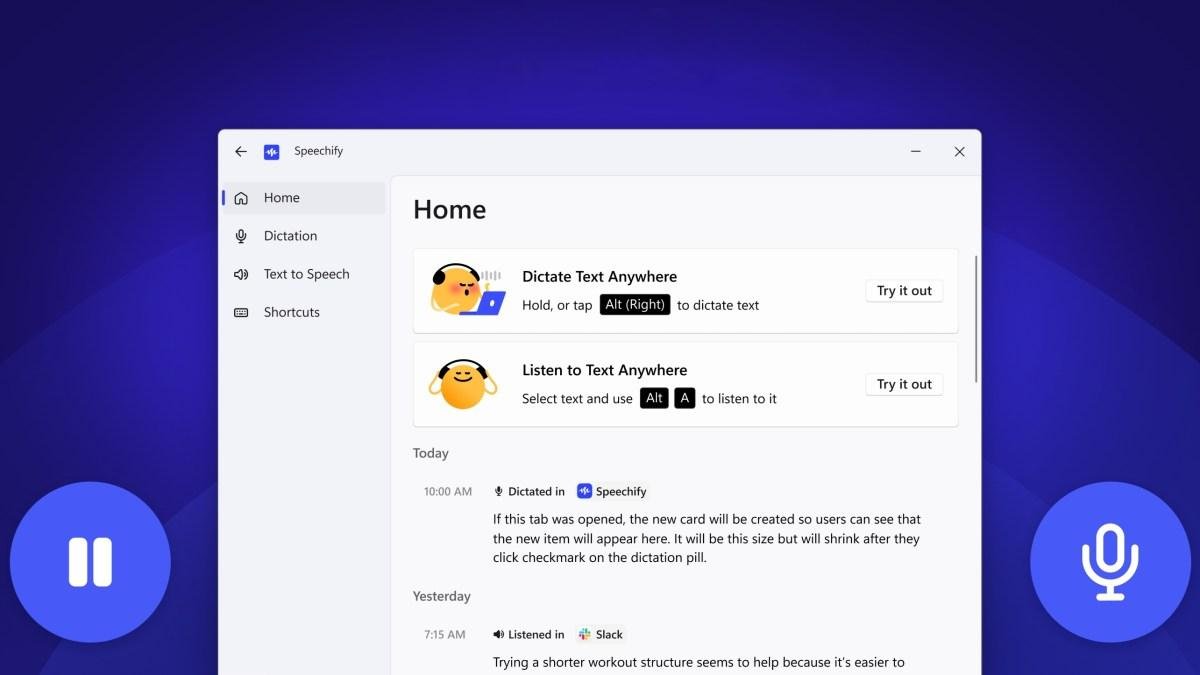
Voice AI company Speechify just launched a native Windows app that employs locally stored models to enable dictation across apps, and reading aloud articles, documents, or PDFs using its library of voices.
The company is taking on the likes of Wispr Flow, Willow, and Superwhisper who also provide dictation and transcription apps across platforms.
Speechify said Windows app does voice processing entirely on-device on Copilot+ PCs (that have NPUs from AMD, Intel, and Qualcomm) and other Windows 11 PCs that have GPUs from Intel and AMD.
The app has three models running on-device: neural text-to-speech, real-time voice activity detection, and Whisper-powered transcription. Users can configure the app to switch to cloud-based models or even change them during usage.
The company, which has over 50 million users, said that VITS Neural can generate audio across seven different speed presets, allowing users to have the app read aloud documents or web pages. The company uses the Silero open-source model for voice activity detection.
“Over a billion people on this planet use Windows. With this Windows launch, we’re making sure that reading, and now writing, is never a barrier, no matter what device you use or how you prefer to work. We’re especially excited about the opportunity in the enterprise given how many professionals have asked for Speechify on their PCs,” said Cliff Weitzman, founder and CEO of Speechify, in a statement.
Last month, the company launched Granola-like meeting transcription, but that feature was limited to browser-based meetings. Now that the company has apps across platforms, it will likely bring over this feature to native apps to transcribe meetings on any app or browser.
Techcrunch event
San Francisco, CA | October 13-15, 2026
Until a few years ago, Speechify largely concentrated on text-to-speech use cases such as reading out articles and emails, and generating podcasts out documents. Lately, the company has been trying to become a full-stack voice app for users by launching dictation, meeting transcription, and a voice assistant.
Newsletters
Subscribe for the industry’s biggest tech news
Related
Latest in Apps
Patrocinados
Publicaciones
Publicaciones
Publicaciones
Categorías
Read More
Jack Bogle's Advice for Anyone Who Started Saving Too Late We research all brands listed and may earn a fee from our partners. Research and financial considerations may influence how brands are displayed. Not all brands are included. Learn more. Money is not a client of any investment adviser featured on this page. The information provided on this page is for...

Myanmar army killed over 700 civilians in six months, UN saysAFP via Getty ImagesMin Aung Hlaing, the general who launched the 2021 military coup, is now presidentMyanmar's military was responsible for more than 700 civilian deaths over the six-month election period last year, the UN says. A new report covering from August to January says credible sources have verified a minimum of 702 people...

Can Wearing the Hypershell Exoskeleton on a Bike Replace an E-Bike? I Tested Both I found out whether wearing a Hypershell exoskeleton while riding a regular bike is comparable to riding an e-bike. Adam Doud/CNETI recently received a review sample of the Hypershell X Ultra S exoskeleton for testing in the Grand Canyon. What I was particularly interested in was whether Hypershell could help...

US imposes tariffs on dozens of trade partners over 'forced labour' importsThe US is imposing new tariffs on around 60 trading partners accounting for the vast majority of its imports over claims they failed to properly stop forced labour. The duties, ranging from 10% to 12.5%, target key economic partners – including the UK, China, EU, Canada, Japan and India. They come in on Friday, as a...

Shopify says AI search is driving more traffic and sales, not replacing Google E-commerce software maker Shopify seems to be benefiting handily from people using AI to search. On the company’s second-quarter earnings call, Shopify President Harley Finkelstein said AI has become a “complement to search, rather than a substitute for it,” and had particularly benefited the long tail of...