


Did you know that your phone can have more germs than your toilet seat? A recent study says the average American checks their phone around 47 times a day, transferring bacteria from their fingers to their phone's screen in the process.
So, in the spirit of spring cleaning, Earth Day and everyday hygiene, you should get in the habit of cleaning your phone.
Fortunately, most major phone manufacturers have instructions on how to do so, and they're fairly easy to implement. We'll explain them in detail, plus offer a few ideas on how to keep your prized phone in pristine condition.
And if you want to give your phone an even deeper clean than these quick tips, you can check out our guide for removing more stubborn materials from your phone here.
A microfiber cloth can also help remove smudges from a camera lens.
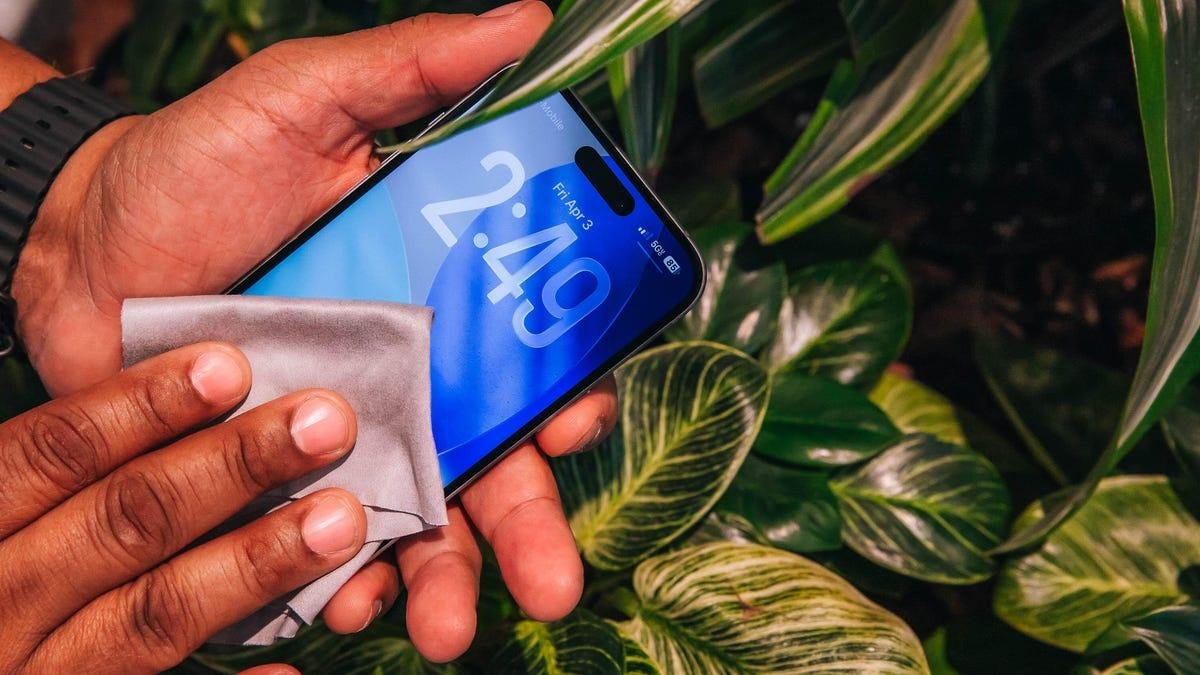
Joseph Maldonado/CNETWipe it down
Before you clean your phone, make sure your phone is unplugged and turned off. Take your phone out of its case. Then get yourself a lint-free cloth. Apple suggests a lens cloth and Samsung recommends microfiber, but either should work.
For streaks, smudges and dust, a dry wipe should suffice. For a more thorough clean, however, the companies suggest dampening the cloth a little before wiping down the phone's surface. You should avoid getting moisture or soap in any of the phone's openings, even if the device is said to be water-resistant.
While you're cleaning your phone, be sure to clean your case as well. If it's made out of a water-resistant material like silicone, then you can wash it with soap and water. Otherwise, wiping it down with a damp cloth works as well.
Lens cleaning wipes are great for cleaning your phone's screen.
Joseph Maldonado/CNETDisinfect
To disinfect your phone, Apple, Google and Samsung all recommend using 70% isopropyl alcohol-based cleaning wipes. Apple also suggests a 75% ethyl alcohol wipe or Clorox Disinfecting Wipes. Samsung recommends a 50 to 80ppm hypochlorous acid-based solution as an alternative.
We should also note it's important to avoid using harsh chemicals, like bleach or hydrogen peroxide, as these could damage the phone's surface. Apple, Samsung and Google also do not recommend using compressed air or spraying cleaner directly on the phone.
Watch this: Your Phone is Disgusting: Let's Fix That
Buttons and crevices
If you wish to do a detailed clean of buttons or crevices, you can do so, but be careful. Don't use a cotton swab, as that could leave behind debris. Don't use metal picks or safety pins either, as that could destroy your phone's internals.
Instead, use a wooden toothpick to gently clear away dust and debris. This is especially effective for clearing out lint from your phone's charging port. This is not recommended from any of the major phone companies, so use a soft touch.
Screen protector refresh
If you use a screen protector, consider swapping out an old one and starting fresh with a new one. They're relatively inexpensive -- plus, they help protect your display from scuffs and scratches.