Sky Glass IPTV UK: A Complete Guide for Beginners
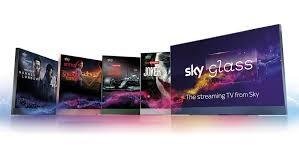
Television viewing has changed significantly in recent years. Instead of relying only on traditional broadcasting packages, viewers now have access to internet-based entertainment that can be used across smart televisions, streaming devices, mobile phones, tablets, and computers. For beginners, however, understanding how IPTV works and how it can be used with modern television equipment can initially feel confusing.
Sky Glass IPTV UK is a topic that attracts attention because Sky Glass provides a modern television experience while IPTV technology offers another way to access television content through an internet connection. Before setting everything up, we should understand the difference between a television device and an IPTV service, how compatible applications work, what equipment may be required, and which factors can influence streaming quality.
This guide explains the subject from a beginner's perspective. We will cover setup considerations, internet requirements, application compatibility, playlist management, performance improvements, troubleshooting, security, and practical tips for achieving a smoother viewing experience.
What Is IPTV?
IPTV stands for Internet Protocol Television. Instead of delivering television programming through traditional terrestrial, satellite, or cable transmission, IPTV delivers video content through an internet connection. Depending on the service, viewers may receive live television channels, video-on-demand content, catch-up programming, or other streaming options.
The technology itself is not necessarily complicated. An IPTV service normally provides access through an application, player, web interface, or compatible streaming device. The exact experience depends on the provider, application, device, internet connection, and type of content being accessed.
It is also important to understand that IPTV is a delivery method, not automatically a specific collection of channels. Some services operate with properly licensed content, while others may offer content without the necessary rights. We should therefore check that any IPTV provider we use is legally authorised to distribute its programming in the relevant region.
Understanding Sky Glass and IPTV Compatibility
When discussing Sky Glass IPTV UK, we should first separate the television hardware from the IPTV service. Sky Glass is a television designed around an integrated smart entertainment experience. IPTV, on the other hand, describes the way online video content can be delivered.
This distinction matters because owning a smart television does not automatically mean that every IPTV application will be available on it. Smart television platforms have their own operating systems, application stores, compatibility requirements, and restrictions.
For this reason, beginners should avoid assuming that an IPTV application designed for Android TV, Fire TV, Google TV, or another platform will necessarily work directly on every smart television.
Before purchasing an IPTV subscription or spending time on setup, we should determine which applications and streaming methods are supported by the television or by an external device connected to it.
What Do We Need for IPTV Streaming?
A basic IPTV setup usually requires three main components: an internet connection, a compatible playback device, and a legitimate IPTV service or content source.
The internet connection is responsible for delivering the video stream. The playback device processes the stream and displays it on the television. The IPTV service provides the actual content or access credentials.
A reliable home network is particularly important for high-definition and ultra-high-definition streaming. A connection can appear fast during ordinary browsing but still experience interruptions if the Wi-Fi signal is weak, the network is congested, or multiple devices are consuming bandwidth simultaneously.
We should also consider the difference between advertised internet speed and actual performance. Streaming quality can be affected by latency, packet loss, wireless interference, router performance, and congestion on the content provider's side.
How to Check Compatibility Before Setup
Before attempting any installation, we should check the television's available applications and supported features. This is one of the easiest ways to prevent unnecessary troubleshooting.
First, identify the operating system or software environment being used by the television. Next, check whether the required IPTV application is officially available for that platform. If it is not available, determine whether the service supports another legitimate method of playback.
An external streaming device can sometimes provide a broader application ecosystem. However, compatibility should always be checked before buying additional hardware.
We should also avoid downloading applications from unknown websites simply because an application is unavailable through an official store. Unverified applications can create unnecessary security and privacy risks.
Setting Up an IPTV Application
If a compatible application is available, the setup process is generally straightforward.
Begin by connecting the television or streaming device to a stable internet connection. Open the appropriate application marketplace and search for the IPTV player you intend to use. Install the application from the official source where possible.
After installation, open the application and review its available login or playlist options. Depending on the service, the application may request a username and password, a playlist address, an electronic programme guide address, or another authentication method.
We should enter information carefully because even a small typing error can prevent the playlist from loading.
Once the credentials have been entered, allow the application time to synchronise the available channels and programme information. Larger playlists can take longer to process, especially when they contain extensive channel lists or detailed electronic programme guides.
Choosing the Right IPTV Player
The IPTV player can have a major effect on usability. A good player should offer a clean interface, responsive navigation, playlist organisation, electronic programme guide support, favourites, search functionality, and reliable playback.
For beginners, simplicity is usually more valuable than having dozens of advanced options. An application with an attractive interface is useful, but stability should remain a priority.
We should also check whether the player is officially supported on the chosen device. A player designed for another operating system may not provide the same performance or functionality.
Another important consideration is update support. Regular application updates can improve compatibility, address bugs, and strengthen security.
Internet Speed Requirements
One of the most common causes of poor IPTV performance is an unstable internet connection.
Standard-definition streaming normally requires less bandwidth than high-definition streaming, while 4K content can require considerably more. However, there is no single internet speed that guarantees perfect playback because performance also depends on the streaming provider, network quality, device capability, and household usage.
For a better experience, we should leave enough bandwidth available for other household activities. If several people are simultaneously watching video, playing online games, downloading large files, or using cloud services, streaming performance can decline.
A wired Ethernet connection is often preferable when practical because it can provide a more consistent connection than Wi-Fi. If Ethernet is not convenient, placing the router in a central location and reducing interference can help.
How to Improve IPTV Streaming Quality
A few practical changes can make a noticeable difference.
First, restart the router periodically if the network has been experiencing unusual performance problems. Next, check whether the streaming device is receiving a strong Wi-Fi signal. If possible, use the 5 GHz Wi-Fi band when the device is close enough to the router to benefit from it.
We should also avoid running unnecessary downloads while watching high-quality video. Background activity can consume bandwidth and contribute to buffering.
Keeping the television, streaming device, router, and IPTV application updated can also improve reliability. Software updates often include compatibility improvements and performance fixes.
If buffering occurs on only one channel while other channels work normally, the problem may not be the home internet connection. It could instead be related to the content source or provider infrastructure.
Managing IPTV Playlists
Large playlists can become difficult to navigate. A service may provide hundreds or thousands of channels, but most viewers regularly watch only a small percentage of them.
Organising favourites can make the experience much easier. We can create a personal selection of frequently watched channels and remove unnecessary categories where the application allows it.
Electronic programme guides can also improve usability because they provide information about current and upcoming programmes. However, EPG data may occasionally be inaccurate or incomplete depending on the source.
Keeping playlists organised is particularly useful for beginners because it reduces the amount of time spent scrolling through irrelevant content.
Common IPTV Problems and Their Solutions
Buffering
Buffering can result from insufficient bandwidth, weak Wi-Fi, network congestion, overloaded servers, or problems with the content source.
We should first test other streaming services. If everything else works normally but one IPTV stream continues buffering, the issue may be related to that particular stream.
Playlist Not Loading
Incorrect login information, expired access, an invalid playlist, or temporary service problems can prevent a playlist from loading.
Check the credentials carefully and confirm that the subscription or access period is still active. Avoid repeatedly entering information if the service has specific authentication limits.
Channels Missing
Missing channels can occur when a provider changes its playlist, removes a channel, updates its service structure, or experiences a temporary technical issue.
Refreshing the playlist may resolve a temporary problem. If the channel remains unavailable, contacting the legitimate service provider is the most appropriate solution.
Poor Picture Quality
Poor video quality can result from adaptive streaming, insufficient bandwidth, source limitations, or incorrect application settings.
We should check the playback settings and confirm that the selected quality is supported by both the device and internet connection.
Application Crashing
If an IPTV player repeatedly crashes, restart the application and device first. If the issue continues, check for application updates. Clearing temporary application data may also help on supported platforms.
Security and Privacy Considerations
Security should be considered whenever an internet-connected television is used for streaming.
We should avoid installing applications from unknown sources and should never provide account credentials to untrusted websites. Strong, unique passwords are recommended for online accounts, particularly when the same credentials could provide access to other services.
It is also sensible to keep the television and connected streaming devices updated. Outdated software can contain vulnerabilities that may have already been addressed in newer versions.
When selecting an IPTV service, we should also consider whether the provider clearly explains its terms, privacy practices, billing arrangements, and content licensing.
Legal Considerations for IPTV Users
IPTV technology itself is legal because it is simply a method of delivering video through an internet connection. The important issue is whether the content being distributed is properly licensed.
A legitimate service should have the necessary rights to distribute the channels, films, programmes, or other content it provides. We should therefore avoid services that advertise premium copyrighted programming at suspiciously low prices without explaining their licensing arrangements.
Consumers should also understand that laws and licensing requirements can differ between countries. Checking the relevant local rules is a sensible step before subscribing to any unfamiliar service.
Can an External Streaming Device Help?
An external streaming device can sometimes be useful when the television's built-in software does not support a preferred application.
Such devices may provide access to a wider range of officially supported applications and can sometimes offer faster processors, better application compatibility, or a more familiar interface.
However, adding another device also introduces another piece of hardware that needs to be configured and maintained. We should therefore use an external device only when it provides a genuine compatibility or performance benefit.
The best choice depends on the applications required, available ports, network setup, streaming resolution, and budget.
Tips for Beginners
When setting up Sky Glass IPTV UK, beginners should focus on reliability rather than trying to configure every available feature immediately.
Start with a simple setup. Confirm that the internet connection is stable, install only trusted applications, enter legitimate credentials carefully, and test several channels before making advanced changes.
It is also useful to keep a record of the application name, login details, playlist information, and subscription expiry date in a secure location. This can make future troubleshooting much easier.
We should also test streaming at different times of the day. If performance changes dramatically during busy evening hours, network congestion or provider-side demand may be contributing to the problem.
How to Get a Better Viewing Experience
A good IPTV experience is based on several factors working together. A capable television or streaming device is important, but it cannot compensate for an unreliable network or poor-quality content source.
We should therefore approach the setup as a complete system. Check the internet connection, choose a suitable player, organise the playlist, maintain updated software, and use legitimate services.
For households with multiple users, network management can also make a significant difference. Modern routers may provide quality-of-service controls that allow certain activities to receive priority. When available and configured correctly, these options can help reduce interruptions during demanding streaming sessions.
Why Beginners Should Keep the Setup Simple
Complex configurations can make troubleshooting more difficult. If we install several applications, modify numerous settings, and change network configurations at the same time, identifying the source of a problem becomes much harder.
A simple approach gives us a clear baseline. We can start with one compatible application, one legitimate service, and a stable network connection. Once everything works correctly, additional features can be introduced gradually.
This approach also makes it easier to determine whether a problem comes from the device, application, network, or content provider.
Conclusion
Sky Glass IPTV UK can be easier to understand when we separate the television, IPTV technology, playback application, internet connection, and content provider into their individual components. Each part has a role in determining the final viewing experience.
For beginners, the best approach is to start with compatibility. We should confirm which applications and devices are supported, use legitimate IPTV services, maintain a reliable internet connection, and avoid untrusted software. Once the basic setup is working, playlist organisation, EPG configuration, network optimisation, and other improvements can make everyday viewing more convenient.
A dependable setup does not necessarily require complicated equipment or countless adjustments. By focusing on compatibility, security, stable connectivity, and legitimate content sources, we can build a smoother and more manageable IPTV experience for modern television viewing.
FAQs
1. Can IPTV be used with Sky Glass?
IPTV compatibility depends on the available software environment, supported applications, and the method used to access the service. We should check the current compatibility options before purchasing an IPTV service or additional hardware.
2. Do we need a separate IPTV box?
Not necessarily. If the television or an existing streaming device supports a suitable IPTV application, an additional box may not be required. However, an external device can be useful when application compatibility is limited.
3. Why does IPTV keep buffering?
Buffering can be caused by weak Wi-Fi, insufficient bandwidth, network congestion, device limitations, or problems with the streaming source. Testing other streams can help determine where the issue originates.
4. Is every IPTV service legal?
No. IPTV is a technology for delivering content over the internet, but individual services must have appropriate rights to distribute the content they provide. We should choose providers that operate lawfully and transparently.
5. What internet connection is best for IPTV?
A stable broadband connection is more important than focusing solely on a particular advertised speed. For demanding high-resolution streaming, sufficient bandwidth, low network congestion, and a reliable connection are especially important.
Patrocinado
Anúncios
Anúncios
Anúncios
Categorias
Leia Mais
Telstra outage: Trains and emergency calls in Australia affected by telecoms outageA major outage at Australia's largest telecommunications company has led to cancelled train services, left thousands of customers without mobile coverage, and sparked an investigation into emergency calls that were not connected.Telstra's chief financial officer Michael Ackland apologised for the issue which...
Congress still can’t decide what to do about warrantless surveillanceGaby Del Valle is a policy reporter at The Verge covering surveillance, the Department of Homeland Security, and the tech-right.The deadline to reauthorize Section 702 of the Foreign Intelligence Surveillance Act is coming up a week from now on June 12th, and legislators seem no closer to reaching a deal. If this sounds like...

Today’s NYT Strands Hints, Answers and Help for July 26 #875 Today’s Strands puzzle isn’t too tough. But some of the answers could be difficult to unscramble, so if you need hints and answers, read on. Hint for today’s Strands puzzle Today’s Strands theme is: All-knowing. If that doesn’t help you, here’s a clue: Smarty-pants. Clue words to unlock in-game hints Your...
Apple Is Reportedly Accelerating Chip Releases Due to AI Pressure According to a report, the company plans to skip higher-performance versions of some of its processors along the way. Omar Gallaga has covered technology, digital culture and other topics for outlets including CNET, NPR, WIRED, Texas Monthly, MSNBC, Consumer Reports, The Washington Post, the Los Angeles Times, The...
Today's NYT Connections Hints, Answers and Help for July 18, #1133 Why You Can Trust CNET Our expert, award-winning staff selects the products we cover and rigorously researches and tests our top picks. If you buy through our links, we may get a commission. Reviews ethics statement Here are some hints and the answers for the NYT Connections puzzle for July 18 No. 1,133....