CNET's experts are always testing the newest smart technology to see how it functions in the home. After all, if you're going to the trouble of setting up a device and app, you want to make sure it's effective, worth the cost and respects your privacy -- which brings me to this list.
Amazon's newest smart speakers come with spatial audio and other sound enhancements, which are especially noticeable in the powerful Echo Studio. With the Alexa app, this smart speaker can connect to a wide variety of services, from your favorite music streaming option to Uber, food delivery apps and more. Alexa can also connect with many smart home devices and control them with a voice command, including lights, locks and smart plugs. You can even pair two Studios and connect them to a compatible TV for theater sound.
Pros
- Latest in room-filling sound from Amazon
- Alexa Plus capabilities
- Sensors to customize volume
Cons
- Alexa Plus costs $20 if you aren't a Prime subscriber
- The Death Star-like design is a little weird
Google's Nest Mini smart speaker isn't as powerful as the new Echo, but it's a great budget-friendly option for Google users.
Pros
- Decent sound from small speaker
- Wall-mountable
- Fun color choices
Amazon may have introduced the smart display with the Echo Show, but Google refined the concept with its Nest Hub line, which reached its apex with the Nest Hub Max, a 10-inch smart display that also has good sound. We were iffy on Google Assistant and its error-prone activations in the past, but now that Assistant has been replaced by Gemini for Home and its new capabilities, we have no reservations in recommending this display.
Pros
- Quick gesture support
- Sleep tracking
- Improved audio quality
Cons
- Sleep tracking will cost at some point
- No camera for video calling
Smart bulbs come in many sizes, but almost all are made to fit the existing light sockets around your home. One of our favorites is this LED floodlight model from GE Cync, ideal for kitchens, entryways, living rooms and other big spaces with floodlights. Unlike other color smart bulbs, this GE Cync bulb has four quadrants that you can switch between any colors you want for an overlapping or complementary effect, giving your space whatever vibe you desire with just one bulb. It supports scheduling, voice commands and other smart bulb tricks that come in handy when you're busy. We also found the GE Cync app particularly easy to use and really like that it has both Alexa and Google support. It's the most complete smart light option we've found if you are looking for a floodlight.
Pros
- Four-quadrant color bulb for limitless customization
- User-friendly app
- Google and Alexa support
Cons
- Pricey for a singe bulb
We often point to smart plugs as the entry point for anyone interested in trying out a connected home device. They're cheap, they're simple to install and they perform a function that's pretty easy to grasp, toggling power on and off remotely.
Pros
- Affordable
- Works with multiple smart home platforms
- Flexible scheduling and timing features
Cons
- Not HomeKit compatible
Here, we've collected the best smart products we've found , from plugs that add app controls to your lamps to home security devices that can analyze video with AI. There's something for every kind of home and every spot you may a smart upgrade, including heaters, thermostats and kitchens. Take a look to see what we're using.
Pros
- Latest in room-filling sound from Amazon
- Alexa Plus capabilities
- Sensors to customize volume
Cons
- Alexa Plus costs $20 if you aren't a Prime subscriber
- The Death Star-like design is a little weird
Amazon's newest smart speakers come with spatial audio and other sound enhancements, which are especially noticeable in the powerful Echo Studio. With the Alexa app, this smart speaker can connect to a wide variety of services, from your favorite music streaming option to Uber, food delivery apps and more. Alexa can also connect with many smart home devices and control them with a voice command, including lights, locks and smart plugs. You can even pair two Studios and connect them to a compatible TV for theater sound.
One of the big highlights of this new speaker is Alexa Plus, a more advanced AI version of the voice assistant that's free for Prime users, but otherwise costs $20 per month. Alexa Plus is a cheerier and generally more informative voice assistant with expanded capabilities, a generally strong upgrade compared to past versions of Alexa, so if you've been looking for a voice assistant to help out around the home, this is a good time to jump in.
Pros
- Decent sound from small speaker
- Wall-mountable
- Fun color choices
Google's Nest Mini smart speaker isn't as powerful as the new Echo, but it's a great budget-friendly option for Google users.
The audio quality in the Nest Mini is respectable, given its price and profile. It also has a wall-mounting notch on the underside, if that's what you're into. An interesting presence detection method that uses the speaker and microphone to determine your proximity to the Nest Mini helps it trigger LED indicators that help you make better sense of the otherwise obscured physical volume controls.
With Google's Gemini for Home upgrades, these Nest speakers are getting even better with a subscription. Think of this speaker as an excellent desk companion, especially if you prefer using Google Home as a control app for your smart home.
Pros
- Quick gesture support
- Sleep tracking
- Improved audio quality
Cons
- Sleep tracking will cost at some point
- No camera for video calling
Amazon may have introduced the smart display with the Echo Show, but Google refined the concept with its Nest Hub line, which reached its apex with the Nest Hub Max, a 10-inch smart display that also has good sound. We were iffy on Google Assistant and its error-prone activations in the past, but now that Assistant has been replaced by Gemini for Home and its new capabilities, we have no reservations in recommending this display.
The Nest Hub Max will show you your spoken commands so you know Google heard you correctly, it can deftly walk you through a recipe from popular cooking websites and it works seamlessly with Google-supported smart home cameras and video doorbells to display their camera feeds onscreen. You can use it as a side browsing screen, a home control hub or anything else you need.
Pros
- Four-quadrant color bulb for limitless customization
- User-friendly app
- Google and Alexa support
Cons
- Pricey for a singe bulb
Smart bulbs come in many sizes, but almost all are made to fit the existing light sockets around your home. One of our favorites is this LED floodlight model from GE Cync, ideal for kitchens, entryways, living rooms and other big spaces with floodlights. Unlike other color smart bulbs, this GE Cync bulb has four quadrants that you can switch between any colors you want for an overlapping or complementary effect, giving your space whatever vibe you desire with just one bulb. It supports scheduling, voice commands and other smart bulb tricks that come in handy when you're busy. We also found the GE Cync app particularly easy to use and really like that it has both Alexa and Google support. It's the most complete smart light option we've found if you are looking for a floodlight.
Pros
- Affordable
- Works with multiple smart home platforms
- Flexible scheduling and timing features
Cons
- Not HomeKit compatible
We often point to smart plugs as the entry point for anyone interested in trying out a connected home device. They're cheap, they're simple to install and they perform a function that's pretty easy to grasp, toggling power on and off remotely.
Read more: Best Smart Plugs of 2026
You can find a lot of smart plugs out there. TP-Link's Kasa Mini is our favorite. It includes a single outlet that connects to your network via Wi-Fi. The app is well-designed and lets you program the plug to turn on or off on a schedule or even based on your location. It works with Google Home and Alexa, and it doesn't cover the adjacent outlet on a standard two-outlet wall fixture.
Pros
- Beautiful design and animations
- Learning features to automatically adjust temperatures
- Eco mode
- Monthly reports
- In-depth app controls
- Satellite sensor
At CNET we're fans of how smart thermostats can save us money and make home temps easier to manage, but there are many choices and only room for one thermostat in your home. We love this Nest learning thermostat not only for its dazzling animations, but also for how it streamlines your savings with scheduling, eco modes and presence sensors that learn when your home is active and when it's quiet.
You also get monthly reports tracking your energy use and showing you how to save. Even a pricey thermostat can pay for itself over a year or two with this kind of cost cutting -- and your guests may just stop and stare at how pretty it looks. This particular model also comes with a satellite sensor to get temperature readings in especially hot or cold places to help control the thermostat more precisely.
Pros
- Energy-saving, radiant heat design
- Wall-mounted to save space
- App controls for timers, automations, energy mangaement and more
- Low fire risks compared to other space heaters
- Google and Alexa compatibility
Cons
- Expensive for a space heater
- Must be installed carefully
Ordinary space heaters are energy hogs, hard to use and fire hazards that need constant attention. This Kelvin heater is the opposite: a smart radiant heater with little to no fire risk that mounts on a wall like a work of art. The app, which can connect to Alexa and Google Home, makes it easy to control from anywhere, set schedules and monitor your energy savings.
The radiant heat design takes a little while to heat up a room, so I set mine to come on an hour or so before people will be around. The only thing to keep in mind is that installation will take a bit of planning, since it mounts permanently on a wall. Otherwise, it's one of the smartest heaters I've seen.
Pros
- Wide, 160-degree field
- Built-in spotlight
- Excellent night vision and zoom
- Great smart home support
- AI detection features
- Very good app UI
Cons
- Subscription needed for all features
- Settings can be overwhelming for new users
The Arlo Pro 6 outdoor security camera is the latest upgrades to Arlo's outdoor, wireless line of cameras. The design is better than ever, the 2K resolution is crystal clear, and the 160-degree field of view is enough to easily capture a whole yard or driveway. Arlo also offers strong smart home support and an option for an extended battery pack.
There's one catch -- Arlo's cam requires a subscription to unlock video storage and its handy AI features, including the ability to recognize flames or provide event captions to summarize what happened when motion detection was activated. That costs at least $8 per month to activate, which means this camera is mostly for those who don't mind a subscription. If you don't like that, we have a guide on the best security cameras with no subscriptions, too.
Pros
- Reasonable pricing
- Sensors that can do a little of everything no matter where you put them
- Fully DIY
- Subscription not required to get the best benefits
- Works with Arlo doorbell, too
- Easy to move with you
Cons
- Some features still locking behind a paywall, notably professional monitoring
- Two sensors may not be enough, depending on what you're planning (but you can add more)
Arlo's nimble security system shows up on my recommendations for DIY systems and the best security for renters, among others. While it only has a hub and two sensors, that makes setup easy and those sensors are actually eight-in-one models that can sense everything from access/opening to smoke, temperature, water leaks, motion and more.
You can put these all-purpose sensors anywhere you want to target a problem or have them handle multiple jobs at once, and switch placement if your needs change. One of my favorite parts is that, unlike so many Arlo devices, you don't really need a subscription to get most of the alerts on your phone, just for professional home monitoring.
Pros
- Upgraded 2K resolution
- Excellent AI featurs for detection and more
- Free hours of cloud storage if you don't want to pay a subscription
- Google Home app is pretty easy to use
Cons
- No wireless version of this specific model yet
- More expensive than some doorbells at over $150
Thanks to the 2K resolution upgrade and Gemini for Home's AI features, this is one of the most advanced video doorbells I've seen, ideal for a big front door upgrade. Gemini offers interesting value here with the ability to describe captured video events for you, give you daily summaries of what it noticed in your front yard and more.
However, don't feel like you have to pet for the extra AI features. The free version of this doorbell is quite impressive, offering basic animal, person and package detection as well as six free hours of cloud storage, giving you time to peruse.
The only downside of this doorbell is that there's no battery verison and not everyone has wiring in the right place for a video model. If that's an issue the 2nd-gen version of the Nest Doorbell is wireless and has many of the same advantages.
Pros
- A beautiful lamp design with both a remote and app controls
- Options to adjust brightness and color as well as create automations for a smart home
- Wall mount option
- Fully Matter compatible to work with Appe, Google, or Alexa
Cons
- You'll need a hub that works with Matter features, and it's best if you have an existing hub device since Ikea's own hub is over $100
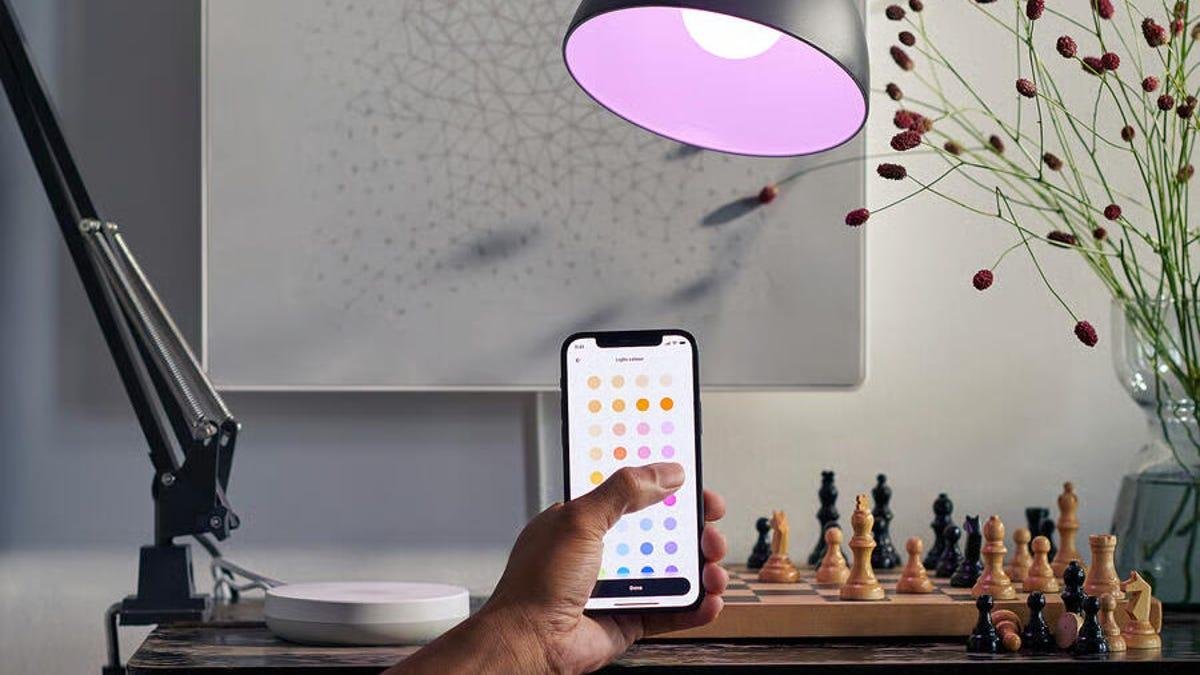
Smart bulbs are easy to install anywhere, but Ikea's smart lamp is something a bit more special. This glowing doughnut can sit on a shelf or hang from a wall, its durable plastic cover producing a gentle glow that you can adjust for brightness or any color you want.
Since it's fully Matter compatible, it will work with your existing apps like Apple Home, Google Home and Alexa, with setup taking under a minute. There's also a tiny remote control you can set up, too. However, for full smart features you will need a Matter hub, which can be anything from an Echo Show to a Nest Hub, new Apple TV or Ikea's own Dirigera Hub.
Pros
- Sturdy, high-tech lock design
- Access options include Apple Watch, keypad and hands-free smartphone sensing
- Smart home compatibility with various platforms
- Autolocking and home routine support
- Multiple options for appearance
Cons
- Requires a separate module for Wi-Fi
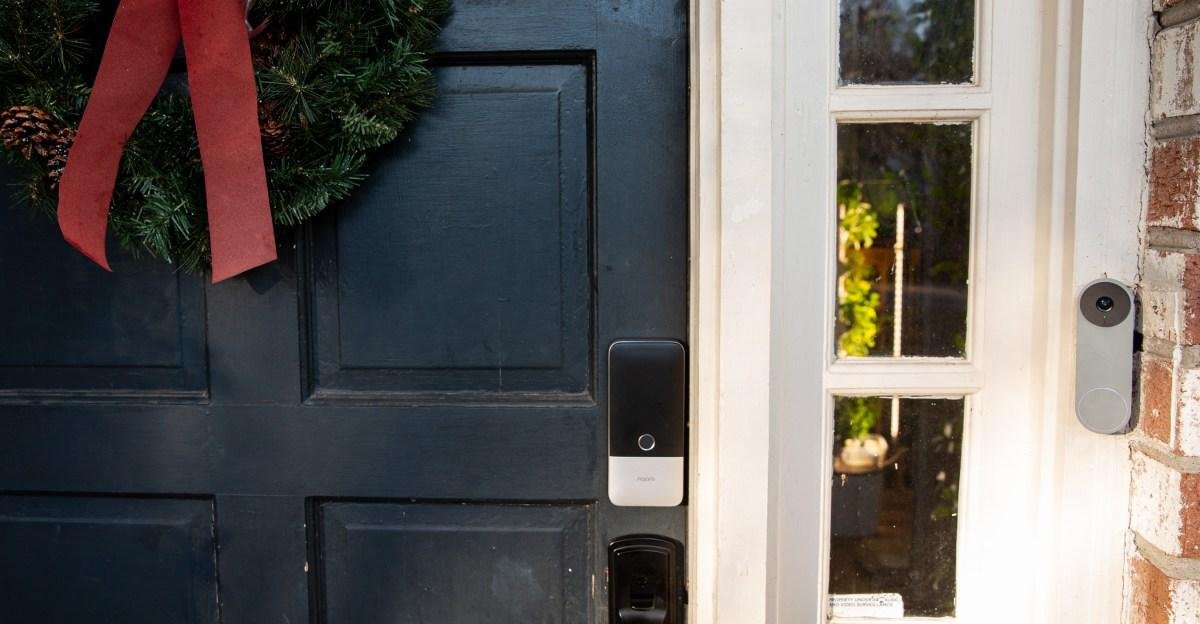
Smart locks are one of the simplests, most effective ways to get started with home security. We like this Yale lock for its wealth of access options, including an app, Apple Watch and keypad. Yale's lock is durable and did very well in all our tests -- plus it offers integrations with other smart home platforms. Features like auto-locking and temporary passes for guests make the lock even more useful.
Note that will you need a separate module to enable Wi-Fi for this lock, which is pretty important for remote control. If you don't want anything extra, plenty of other smart locks have Wi-Fi built in, including retrofit models that are easier to install on your current deadbolt.
Pros
- Extremely bright lights
- No subscription needed
- Panning camera with AI tracking
Cons
- Has to be hardwired
- Eufy's app takes a little learning to feel comfortable
Eufy has been making some really impressive security cameras lately, like the Eufy S350, and the Eufy E30 Floodlight Camera is another impressive model. It has all of the things we want from an outdoor security camera, such as extremely bright floodlights, crystal clear video, smart tracking and compatibility with all Alexa and Google Home.
With its 2,000 lumens of power, you can illuminate your entire backyard. It's also dimmable, which is useful if you still want your neighbors to like you. With as many smart features and powerful lights, constant power is a must, so you'll need to wire this model into an existing junction box. If you can make the power needs work, this is a fantastic option for your outdoor space -- and you won't need to pay for a subscription to use all the features.
Pros
- Larger 11-inch screen
- Upgraded spatial audio
- Alexa Plus is a better voice assistant
- Broad smart home compatibility, including live views from security cameras
Cons
- Alexa Plus is pricey without a Prime subscription
If you're a fan of Alexa and particularly the upgraded Alexa Plus conversational AI (free with an Amazon Prime subscription, otherwise $20), then this new 11-inch Echo Show could be the ideal hub for your smart home. It includes spatial audio upgrades and a larger screen that's even better for catching up on streaming videos or TV shows while you're working. Like Echo speakers, the display can answer questions, set reminders, make calls (video calls in this case) and control smart home technology. The upgraded Alexa Plus is also friendly and more capable than before, although you will need to connect your streaming services to get the most use out of this device. We like models like these for our kitchens and computer setups or similar areas.
Pros
- Compact design
- App support for alerts
- Also detects freezing conditions
- Two-year battery life
Cons
- Eufy's specific model needs a HomeBase for full functionality
Leak detectors occupy a small but important role in the smart home, sending phone alerts and activating sirens when they detect pooling or dripping water. These tiny devices can fit nearly anywhere, like under sinks or behind toilets, and have batteries that can last for years. They're often part of security systems, but we've tested stand-alone versions like this Eufy model that only needs a HomeBase to work, as well as this solo model from SwitchBot. Either way, they are excellent gadgets for your home toolkit.
Pros
- In-depth readings on CO2 levels, temperature, humidity and more
- Highly portable
- Works with or without the app
- Many setting adjustment options
Cons
- A monitor with this many capabilities is a bit expensive, usually over $50
SwitchBot's air quality monitoring tracks temperature, humidity and CO2 levels right out of the box. You can put it anywhere you like to get fast readings, and connect it to the app to adjust settings, choose the update frequency and see if you'd like to get phone alerts. You can put it in your kitchen to see how your gas stove affects the air quality, mount it in a sun room or greenhouse, put it by the fireplace and much more, depending on your needs.
The Wyze Duo Pan Cam gives you more freedom over your security system than ever before.
WyzeSince this is a diverse group of products, there isn't one set procedure we follow. (A test for a smart home display will tell you nothing about a mesh router.) Everything on this list (and the category-specific best lists) went through hands-on testing.
There are more commonalities, too. Where possible and relevant, we gather data in a standardized and empirical way. For testing Wi-Fi routers, that includes repeating the same speed test at a series of standard distances in the same house for each router that's tested.
For other categories, the testing is more experiential. For devices like smart thermostats, smart speakers, smart plugs and smart home displays, we install and use them in the ways you would. When testing the second-gen Google Nest Hub, our reviewer conducted a two-week test of its sleep-tracking function in addition to its more obvious around-the-house capabilities.
Relevant company policies also factor into our reviews of these devices, especially when it comes to privacy concerns. Bringing a device into your home that can watch or listen to you or your neighbors comes with corresponding privacy concerns. CNET works to understand the company's privacy policies, make them easy to understand and takes privacy questions directly to the companies like Ring and Google when the answers aren't obvious.
Choosing the best smart home devices is a bit different than choosing headphones or a streaming service, since smart devices are often meant to be integrated into a smart home ecosystem. That means one of your first considerations should be compatibility. Consider devices that will work with the same voice assistant. CNET recommends both Google Assistant and Amazon's Alexa as two of the best centerpieces for a smart home.
The other things to consider are your goals and your needs. Are you interested in connecting and automating as much of your house as possible? Then go all in on a connected home. If your problem is one person leaving their bedroom light on when they leave the house, a smart light bulb might do the trick.
Not to get all philosophical, but that depends on how you define worth. Smart home devices can add a layer of convenience to your life you'd be hard-pressed to achieve without them. Left a light on? Ask Google to turn it off. Need to add something to your grocery list? Tell Alexa.
Smart home devices can save you money, too. The best example of this is a smart thermostat, which can save you 10% on your energy bills if you program them right. Other devices like smart bulbs and smart plugs that you can schedule or shut off remotely can keep you from wasting energy when you're away. Motion sensors connected to your lights can do the same trick.
Connecting smart devices at home is, generally relatively simple. Smart plugs, pet cams or smart light bulbs set up and connect easily. Even most devices with more involved installations, like smart thermostats, can be installed without too much fuss. (Although calling a professional is always a good idea if you're unsure of yourself.)
If you're looking for the best smart home hub and assistant, CNET has recognized Google Assistant and Amazon Alexa as two of the leading options. Both support thousands of devices, so you're bound to find an option to fit your needs.
Greater connectivity among smart home devices is (likely) going to arrive soon. Matter, a project that aims to provide greater connectivity across smart home brands, is creeping closer to its debut. The frequently delayed effort has sign-on from some of the biggest smart home companies, although it's always best to confirm a device you're considering is compatible and not count on future developments.
Google, Amazon and Apple get the most attention for their smart home hubs and speakers, but plenty of other companies are making top-of-the-line products that can be incorporated into a smart home ecosystem.
Sonos is listed on CNET's best smart speakers, while Wyze is among the best smart plugs as well as offering great smart lightbulbs. Many companies, like Sonos, have made smart versions of products they've long made. Honeywell makes a quality smart thermostat and several of the best smart locks come from companies that have made locks for decades.